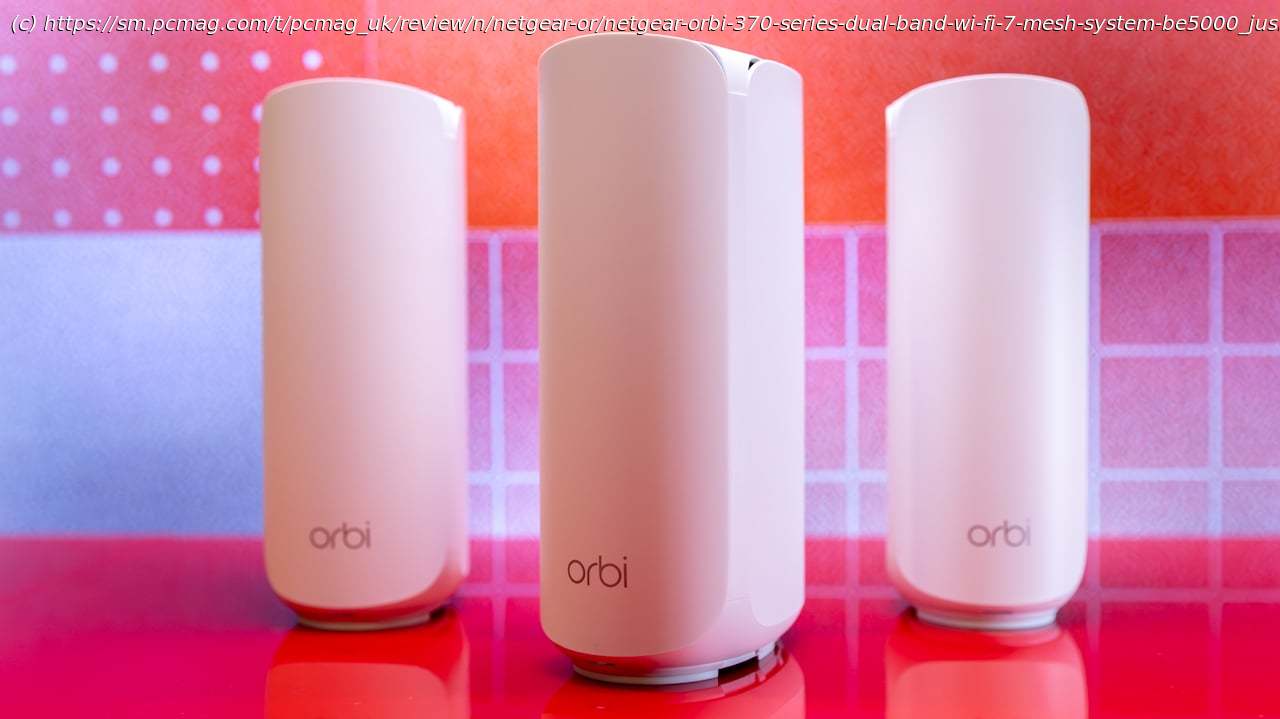
The Netgear Orbi 370 is a dual-band Wi-Fi 7 mesh system that offers good performance and signal range—albeit with some key Wi-Fi 7 protocols omitted, making its reasonable price its best feature.
If you want to cover your home with strong Wi-Fi 7 signals but don’t require 6GHz data transmissions, consider Netgear’s Orbi 370 Series Dual-Band Wi-Fi 7 Mesh System. Priced reasonably at $349.99 for a three-pack, the 370 Series is a solid performer that offers multi-gigabit LAN connectivity and an intuitive mobile app. That said, you don’t get many extras with this system. Network security and parental control software require a subscription, and the router node offers only one LAN port. Our Editors’ Choice winner, the eero Pro7, offers a full-blown Wi-Fi 7 system with 6GHz transmissions, 5GbE LAN, and support for Thread, Matter, and Zigbee home automation protocols. It’s more expensive than the Orbi 370 system, but not exorbitantly so: You can pick up a three-pack for around $550 if you shop around.Design: Scales up to Four Nodes for Massive Homes
We tested the Orbi 370 Series three-pack, which is designed for large homes and provides coverage of up to 6,000 square feet. For smaller spaces, the two-pack covers 4,000 square feet and goes for $249.99. For even larger spaces, the $449.99 four-pack gives you 8,000 square feet of coverage. Individual satellite nodes cost $149.99 each and cover up to 2,000 square feet.
The three-pack comes with a router node and two satellite nodes. At first glance, they look identical, but the router node’s rear panel has two 2.5GbE Ethernet ports (WAN and LAN) while the satellite nodes have only a single 2.5GbE LAN port, which you can use for wired backhaul or to connect to other network devices. In comparison, the eero Pro 7 nodes are equipped with a pair of 5GbE Ethernet ports. Sharing space on the rear panel are the Sync and Reset buttons, as well as a power jack. As with most mesh systems, the 370 Series lacks USB ports.
The Orbi nodes have a white finish, stand 8 inches high, and are 4.7 inches deep and 2.9 inches wide. A small LED indicator at the bottom of the router flashes white during startup and then goes dark when everything is connected and working correctly. It is solid magenta when it has lost internet connectivity, and is solid white when the node is being reset to its factory default settings.