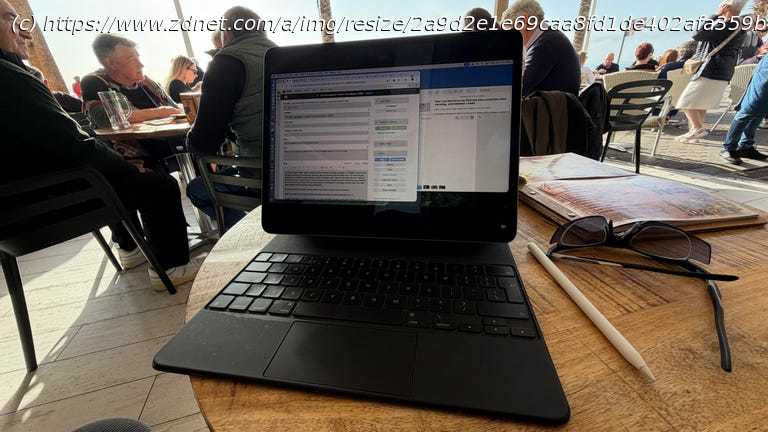
This is how I keep working when Wi-Fi, power, and the best travel plans fall apart.
I love remote working in cafes in foreign countries!
Wi-Fi and 5G connectivity are becoming more and more commonplace.
Don’t rely on finding power in public spaces; bring a power bank.
Always use a trusted, reliable VPN when connecting to public Wi-Fi.
I’m someone who loves the thrill of rocking up in a foreign country, sitting on a balcony or cafe, and getting some work done. Not only do I enjoy sitting in front of my keyboard with a coffee and a tostada, but I love the technical challenges and pushing my gear a little bit further.
I’m currently in Spain, so it’s a good time to reflect on my travel work kit and workflow, show you what worked, the things that didn’t work, and the couple of things I did that made my life a bit harder. Traveling with my iPad Pro
First up, this time I’m traveling with my iPad Pro as opposed to my MacBook Pro. A 13-inch tablet was a lot easier to carry about in a backpack — while I walked the last 75-ish miles of the Camino Frances — than a 16-inch laptop would have been.
But that brought a challenge. I’ve never been able to transfer my Mac workflow to the iPad. For a variety of small, but important reasons, I need a full operating system.
And you can’t run MacOS on an iPad. Or can you?Accessing MacOS in the cloud
I’ve been using a cloud subscription service called MacInCloud, which, as the name suggests, gives you access to MacOS in the cloud. Setup is pretty straightforward, and you can customize the hardware, software, and subscription to suit you.
And it works surprisingly well. I use an app called Jump to connect to my Mac in the cloud, and assuming you have a decent internet connection (a bit of foreshadowing there), it works great. As with all remote services, it always feels a little like tending to a bottle garden, but rather than a bottle garden in front of you, it’s next door, and I’m working on it using chopsticks through an open window.
There are also a few odd bugs that I’ve had to work around (many related to user interface, and having to choose the best between my fingers on the screen, the Apple Pencil, or the trackpad on the Magic Keyboard).






