Color laser printers are the go-to choice for home offices and small businesses. But which should you buy? Here are our picks for the best color laser printers.
The best color laser printers can significantly help improve your document workflow by saving you time and money. Many of these printers are fast with low cost-per-page print costs, making them ideal for budget-minded homes and offices. The HP Color LaserJet Pro M255dw is the best color laser printer you can get right now. It prints fast, uses high-capacity toner, and works with just about every wireless printing standard available.
The LaserJet Pro M255dw even has an NFC card reader for customers who’d like a bit more security. We’ve tested and reviewed dozens of printers, and it easily offers the best value for money when buying a new color laser printer.
Why you should buy this: It’s the best color laser printer you can buy.
Who’s it for: Small business owners and those with a home office.
Why we picked the HP Color LaserJet Pro M255dw:
Just because you want a powerful, feature-rich color printer at home, that doesn’t mean it needs to be bulky. The HP Color LaserJet Pro M255dw has a simple, modern design, including a helpful 2.7-inch color touchscreen for controls. Compared to larger, more business-ready printers, the LaserJet Pro M255dw weighs just 33 pounds and can easily be tucked into a corner of your home office.
At 22 pages per minute, it’s not quite as fast as some larger printers, nor does it handle all-in-one features like scanning and copying. But with support for both Mac and Windows, as well as a bypass slot for printing odd-shaped materials, the HP Color LaserJet Pro M255dw is extremely versatile.
Why you should buy this: Fast, full-color laser prints at an affordable price.
Who’s it for: Home and small office customers with moderate print volume needs.
Why we picked the Brother MFC-L3710CDW:
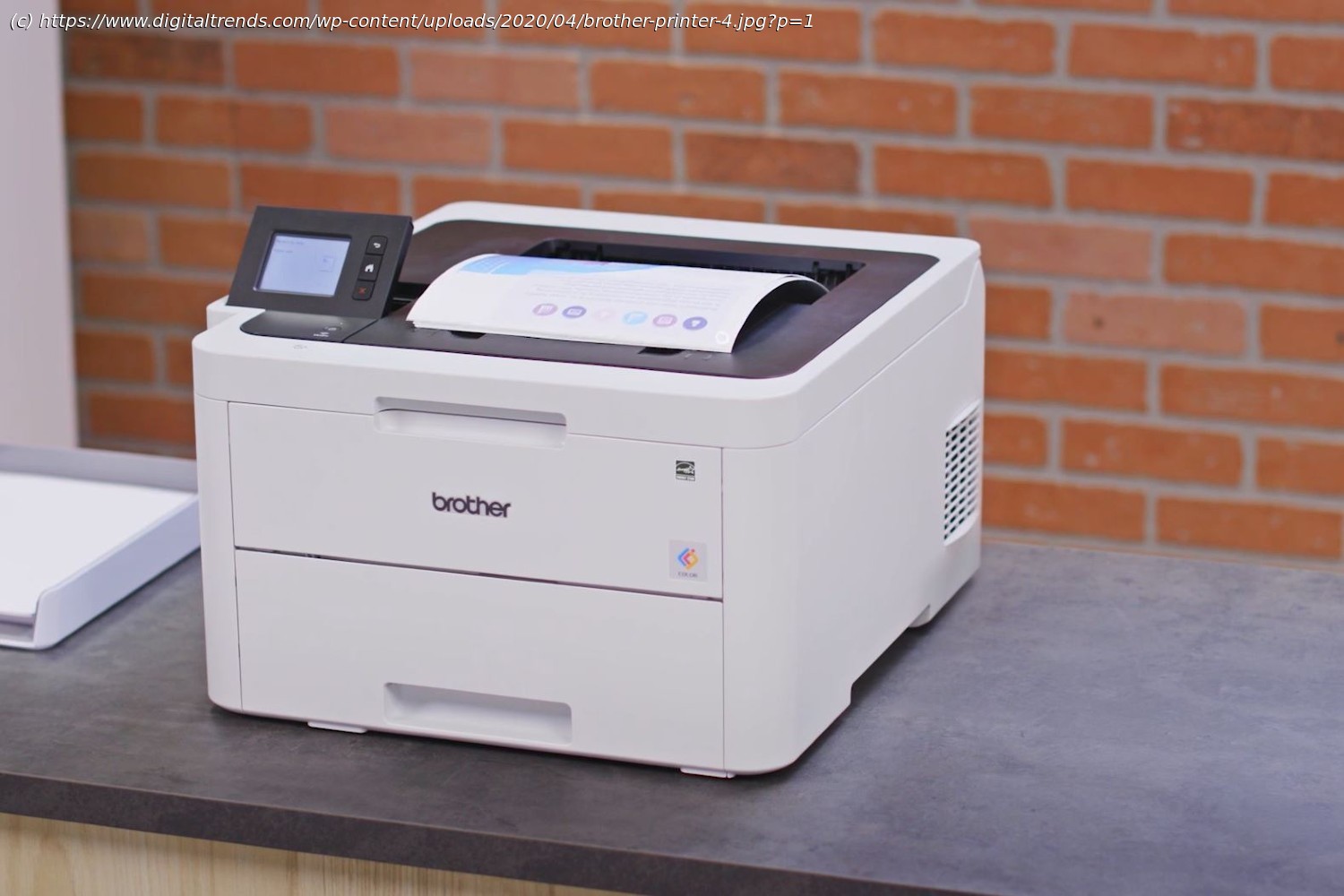
Laser color printers aren’t cheap. Short of buying an older printer, this affordable Brother makes for a great addition to a home office or small business. It has a lot of the same features that come in more expensive models, such as a 3.7-inch touchscreen for controls, a wireless NFC connection, and a 250-sheet capacity tray.
With a numeric pad for scanning and copying, this printer is ready to take on your office’s print jobs, but the space-saving design makes it versatile enough to place desk-side or in a dedicated copy and print room. You’ll benefit from the automatic document feeder, high yield toner options, and the ability to print from and scan to popular cloud apps and services.
Why you should buy this: High-capacity toner, very fast print speeds, and a wealth of wireless connectivity options.
Who it’s for: Offices with large print volumes or anyone who needs speedy, colorful prints.
Why we picked the Brother HL-L3230CDW:
If you need to take your Brother printer to the next level, the Brother HL-L3230CDW is a fantastic upgrade. It has a reliable printing speed of up to 25ppm, and high-capacity toner cartridges. Duplex printing and the toner saver mode make it easy to save on toner costs even at high volumes.
In addition to the onboard controls, the printer can be monitored and controlled via an app and can be linked to your company’s Dropbox, Google Drive, or Microsoft OneDrive accounts. You have your choice of wireless, Ethernet, and USB connections.
The 250-sheet paper tray supports automatic feeding, which is useful for larger projects. While it’s compact, the printer can still handle a variety of papers including card stock and envelopes via its manual slot.
Why you should buy this: Great color print quality in a multifunction printer.
Who it’s for: Anyone who needs to print or copy photos and graphics quickly.
Why we picked the Canon Color imageClass MF634Cdw:
Laser printers are not photo printers, per se, but models like the Canon Color imageClass MF644Cdw go a long way to blurring the lines between them, which makes sense coming from a company like Canon, known for its cameras. While we wouldn’t recommend it for photographers, the MF644Cdw is hard to beat for the office that needs to make or reproduce documents that contain graphics and photos.
While the 22 ppm print speed of the Canon Color imageClass MF644Cdw doesn’t match the HP M281fdw, it does offer automated duplex printing, copying, and scanning from its 50-sheet document feeder. With a maximum monthly duty cycle of 30,000 prints and a recommended cycle of 200 to 2,500, it can also hold up to the standard printing demands of small to medium-sized offices.
In addition to USB, print jobs can be sent wirelessly via Apple AirPrint, Google Cloud Print, Mopria, Wi-Fi direct, and Canon’s Print Business app.
Why you should buy this: HP’s Color LaserJet Pro MFP M479dw is a speedy all-in-one printer that’s designed for printing and digital document archiving with intuitive support for cloud storage.
Who it’s for: Small businesses that need a speedy color laser printer.
Why we picked the HP Color LaserJet Pro MFP M479dw:
Workgroups and businesses that don’t have much office space to spare to house a large printer will appreciate HP’s Color LaserJet Pro MFP M479dw. Though it is more expensive than the highly ranked HP Color LaserJet Pro M454dw printer, the MFP M479dw adds multifunction features that will help with your office’s document needs, including a built-in flatbed scanner, automatic document feeder, and duplexing capabilities. While the M454dw is a single-function printer, the upgraded M479dw is a more well-rounded multifunction printer that can still output up to 27 pages per minute in black and white or color.
This speedy but compact number has built-in Wi-Fi and Bluetooth Low-Energy, and mobile printing is supported across a number of devices and platforms. The big limiting factor on this printer is its small 250-sheet paper input tray, though larger offices with bigger print jobs can upgrade to the optional 550-sheet tray. Duplexing is supported to help save paper and the environment. A front-facing USB-A port makes it easy to print from a storage drive. The printer can print from or scan to a variety of cloud providers, making it easy for digital document archiving. Businesses on a limited print budget can invest in high-yield toner cartridges for a lower per-page print cost.
Why you should buy this: Kyocera delivers fast printing speeds and affordable operating costs with its ECOSYS M6630cidn all-in-one MFP.
Who it’s for: Small and medium businesses.
Why we picked the Kyocera ECOSYS M6630cidn:
If you need a fast printer that does it all for your business documentation needs, then the Kyocera ECOSYS M6630cidn should be at the top of your list. This robust printer is scalable with its expandable array of paper trays, making it ideal for organizations large and small, and it can support documents as large as 8.5 x 14 inches. Print speeds are as fast as 32 pages per minute, meaning this AiO MFP can churn our large print jobs in no time!
As a multi-function printer, the ECOSYS M6630cidn can handle scanning, copying, and faxing for your office, and can also support mobile printing with the companion smartphone app. For offices with heavier print volume, Kyocera’s high yield cartridges keep things economical and help to save your business money on print costs.
Why you should buy this: The Lexmark C3426dw delivers solid, fast, reliable printing on a budget.
Who it’s for: Small and home offices.
Why we picked the Lexmark C3426dw:
Lexmark’s C3426dw is a solid option for homes and home offices that are tight on space — this printer swaps out an automatic document feeder found in bulkier competitors in favor of a more compact design that will allow it to fit in small spaces. Though it may be small, the Lexmark C3426dw comes with plenty of features that make it a top choice in the category, including speedy 26 pages per minute printing in both monochrome and color, wireless and cloud printing support, duplex printing, and an affordable price tag.
The biggest downside to this printer is perhaps the smaller 250-sheet paper tray, which just means you’ll need to refill it for larger print jobs. Automatic duplexing should help somewhat in this department, however. In addition to standard document printing, the Lexmark C3426dw can also print to a variety of media, including envelopes, labels, and card stock.
If you find our top picks just aren’t the right fit for your specific needs, though, there are other color laser printers worth checking out. If you’d like an all-in-one that can handle scanning, copying, and faxing documents, or you simply just need a more affordable model, be sure to take a look at the other printers we’ve placed on this list.
If you’re looking for additional savings, check out our guides to the best cheap printer deals and best laser printer deals available now.