With the Android 14-based One UI 6.0 update, Samsung has overhauled the DeX experience for tablets. We take it for a spin with the Galaxy Tab S9 Ultra.
Samsung has finally rolled out its long-awaited One UI 6.0 update based on Android 14. Devices in the Galaxy Tab S9 lineup, the company’s flagship tablet range, are among the first to have received the update, which includes a massive overhaul to Samsung DeX. I’ve spent a little over a day testing the new interface, and while it brings some impressive improvements, some drawbacks quickly became apparent as well.
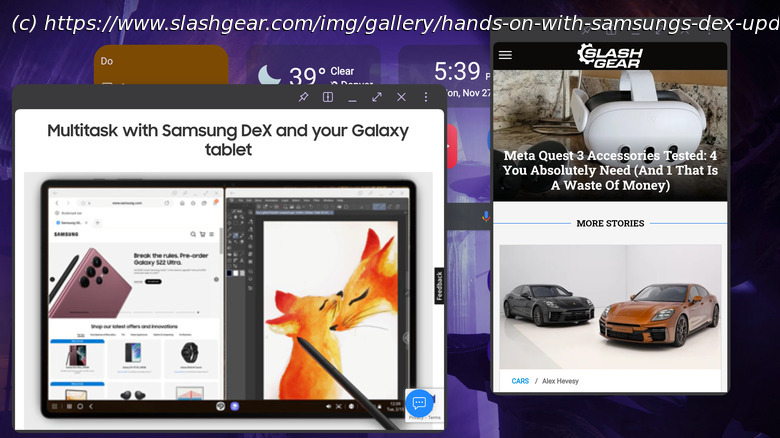
DeX is one of Samsung’s most unique and highly praised features, and One UI 6 brings the biggest changes we’ve seen to it in quite some time. For those out of the loop, DeX is a somewhat hidden Galaxy feature that transforms Android into a desktop-like operating environment optimized for a mouse and keyboard, where apps can be launched in resizable windows. On smartphones, DeX requires an external display to activate, whereas on tablets, it can be launched directly on the main screen of the device.
With the new DeX for tablets, Samsung is focused on making the transition between standard tablet and DeX modes more seamless while making the DeX interface more versatile. When using the tablet as a standalone device, the update brings some welcome changes, but frustrations quickly mount when a second display is added. Still, it’s a worthwhile upgrade overall.Improvement: New DeX is a pleasure to use directly on tablets
The biggest change you’ll find when you upgrade your Samsung tablet to One UI 6.0 is what the company calls « the new DeX for tablets. » While activating the previous version of DeX — which Samsung now calls Classic DeX — completely changes the user interface, « New DeX » instead changes very little at all. Rather than a Windows-like desktop enabled by Classic DeX, the new version retains your tablet’s normal home screen layout, widgets and all. Instead of notifications and quick settings moving to the taskbar, they’ll stay in the standard Android notification shade. However, all apps will open in DeX mode, and the tablet taskbar will persist on the home screen.
Initially, this new paradigm felt like a step backward, but after using the New DeX for a few hours on my Galaxy Tab S9 Ultra, I began to reevaluate. Classic DeX has always been difficult to use without a mouse. I’ve got Samsung’s Book Cover Keyboard Slim, which doesn’t have a trackpad, and the inability to take advantage of a cursor has pushed me away from using DeX in the past. The New DeX bridges that gap, letting me use a combination of windowed apps and traditional Android navigation without having to dig my mouse out of a bag.