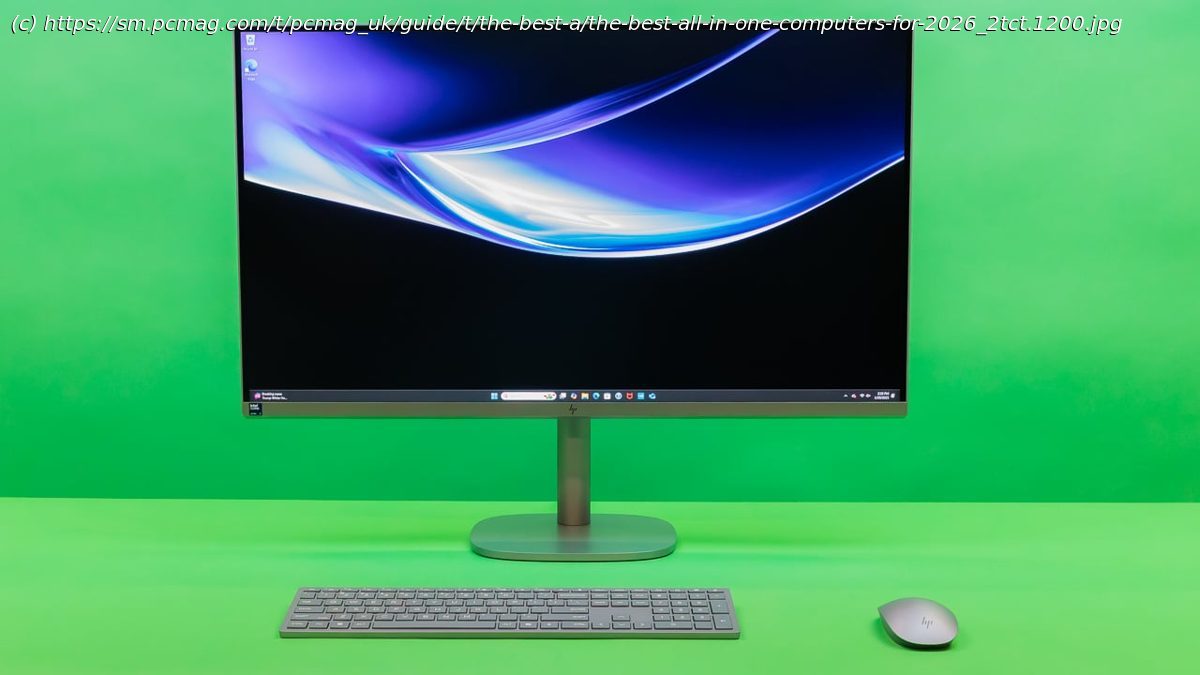
If you want space savings, power, and flexibility—all from a single desktop computer—you need an all-in-one (AIO) PC. We’ve got the advice, backed by our lab-based reviews, to help you find the right AIO.
Looking for a space-saving display and PC in one? You’ve come to the right place. Evaluating desktop PCs has been in PCMag’s blood since its founding more than 40 years ago, and testing for the best all-in-one (AIO) PCs is no different. Our expert reviewers and editors have over a century of collective experience evaluating and rating desktops. We extensively benchmark every AIO, hands on, for CPU and graphics performance, and we assess screen quality, design, usability, upgradability, connectivity, and (of course!) price and value. The Lenovo Yoga AIO 27-Inch is our current best pick for most users, but we’ll run you through all our top desktop AIO recommendations, then offer advice on how to find the right device for the way you compute.Why We Picked It
With a reasonable starting price, configuration options tailored to different needs and budgets, and a versatile design, the Lenovo Yoga AIO 27-Inch has broad appeal for most shoppers. It delivers faster performance than many AIOs, features a superior adjustable display, and includes decent speakers. The Yoga’s webcam is sharp, it comes with wireless peripherals, and its ports are easily accessible. You’ll find a lot to like here, with a range of features useful to a wide audience.Who It’s For
Everyday PC users: This is an ideal all-in-one PC for casual users and families. This Yoga AIO comes with everything you need for inputs and connectivity, making it a breeze for even less tech-savvy users to set up. Its memory does top out at 16GB, so look elsewhere if you need a more powerful machine.
Single-PC owners: This is a good AIO choice if this is the only PC you’ll own. The Yoga’s screen is sharp, fast, and suitable for both work and entertainment. The computer also comes with everything you’ll need for productivity right out of the box, including a quick processor for working and a sharp webcam for video calls.Why We Picked It
With an affordable starting price, configuration options tailored to different needs, and a tidy design, the Dell 24 AIO is an excellent option for budget-conscious shoppers. It comes with wireless peripherals in the box, a sharp built-in webcam, plenty of ports, and a roomy 23.8-inch screen. It would be ideal if the processor had more power, but it’s sufficient for daily productivity and general home use. You can’t have it all when trying to buy the cheapest system. You’ll also find worthy upgrade selections available if you scout Dell’s configurator, including a modest discrete GPU option. Our inexpensive test configuration struck a decent balance between affordability and efficiency.Who It’s For
Casual PC users on a budget: This AIO is ideal for anyone with basic everyday computing needs who doesn’t want to spend a lot of money. If you know you don’t need a lot of processing power and just want a big-screen PC for your home, strongly consider this Dell. It comes with everything you need in one package to set up a home office or living room PC, allowing you to browse the web, shop, watch videos, and more.
Parents seeking a family PC: This is a great AIO choice if you want a plug-and-play PC for your kids to use for homework or entertainment in a living room, den, or home office. It’s also fast enough for you to use in your own downtime.Why We Picked It
If you want a combination of speed, aesthetics, and performance, and aren’t tied to a PC, look no further than the Apple iMac. Shades of the ’90s gumdrop iMac live on in this 24-inch iMac. Apple’s current iMac comes in seven lively colors, from yellow to purple (with a matching mouse and keyboard in each box), so it will blend in nicely with any decor scheme. But it’s not just a pretty face: The previous M3-based iMac line has been upgraded to Apple’s M4 chip for speedy performance, while the 4.5K display and Center Stage webcam are first-class. As an added value for sticking with Apple, macOS’s integration with your iPhone, iPad, and Apple Watch is unparalleled—now featuring iPhone mirroring on Macs.Who It’s For
Home office pros: This is an ideal all-in-one desktop for professionals working from home. The iMac’s ultra-thin flat panel is both fashionable and functional, allowing it to fit within more compact computing spaces. It’s not cheap, but it remains an iconic home computer with the longevity and reliability you can expect from an Apple product.
Students: This is a good AIO choice for students of nearly all academic levels. Apple’s iMac is a fantastic system for completing regular homework or more complex assignments. Its price can balloon with upgrades, and not all apps are compatible with Macs, but it’s a suitable and sleek fit across many fields of study.Why We Picked It
A beautiful 31.5-inch screen and an Intel Core Ultra 7 H-series processor are enough to sell this high-end AIO. Combine that with a sleek, adjustable design, and it’s easy to see why the OmniStudio X is our top premium pick. A legitimate iMac competitor, this AIO’s 4K display is bright and spacious; the computer has a decent number of ports (despite a few misses on that front); and its performance is good for this type of PC. While it’s not the most powerful option, its Nvidia RTX 4050 Laptop GPU puts it above most AIOs in graphical output. It’s the fastest and highest-end AIO at this size for both general and professional use.Who It’s For
Heavy multitaskers: This AIO is a good choice for anyone who works with multiple windows, sheets, tabs, and apps simultaneously. The OmniStudio’s sharp screen provides ample digital real estate, and its processor also ensures you won’t experience lag during your scattered work in front of a computer all day.
Media professionals: This desktop is an ideal alternative content-creation AIO to the iMac for media pros. If you need to carry out creative tasks but want to avoid a Mac system, this is a sweet option. The OmniStudio features a 4K screen that nails precise media projects, offers ample memory and storage, and includes a mobile GPU to make the work possible.Why We Picked It
The Lenovo Yoga AIO 32i shares many similarities with HP’s OmniStudio, a high-end AIO featuring a premium design. While we give the slight edge to the OmniStudio, the Yoga is a beautifully designed desktop, whose aesthetic appeal may win you over. The two options stack up similarly in terms of feature set, with the Yoga featuring a 4K 31.5-inch screen, 32GB of memory, and even an RTX 4050 GPU. They differ in storage (the HP we tested has more) and processor (the Yoga runs a Lunar Lake Core Ultra 7 258V), but performance is roughly equal. This beautiful system features useful additional elements, including built-in wireless phone charging, and its unique stand would make your office look more stylish rather than cluttered.Who It’s For
Deep-pocketed AIO shoppers: This Lenovo AIO is ideal if you’re focused on aesthetics and you have a big budget. It’s super-fast, has a large and sharp display, and even packs dedicated graphics muscle inside. While the stand is not adjustable, its stunning design more than makes up for this.
Content creators: This is another good AIO choice for content creators. Like some of the other AIOs on this list, this Yoga model includes everything that photo and video editors would expect, from its 4K display to its Nvidia RTX 4050 GPU. It’s a fine alternative to class leaders like the HP OmniStudio or Apple iMac.Why We Picked It
The 23-inch ThinkCentre M90a Gen 5 is an excellent all-around business desktop and a versatile one, too. The starting price is modest, but our review configuration is more serious for a 14th Gen Core i7 processor with 32GB of memory and a 1TB SSD. With minimal downsides, this tightly designed and snappy system can carry your workflow without breaking the bank.Who It’s For
Entry-level business users: This AIO is best for budget-conscious entrepreneurs or offices looking to minimize hardware costs. With a reasonable starting price, fleet managers can supply employees with a system that’s a treat for working on multiple spreadsheets, handling emails, and participating in conference calls.