You don’t have to spend a small fortune to upgrade your old keyboard. Check out the best low-priced keyboards we’ve tested for budget-conscious typists of all sorts.
Keyboards are essential to any PC setup, but once you start getting particular about typing comfort and features, their prices can rise quickly. (Some elite gaming and productivity mechanical keyboards cost $150 or more.) Replacing a worn-out keyboard with a decent new one for minimal money is an exercise in compromises, but you can land a value champ if you know what to look for. At PCMag, we’ve been testing keyboards for decades, evaluating then on myriad features such as connectivity, typing comfort, supporting software, layout, and ergonomics, so you can trust our advice on what’s essential and what’s not. Our current favorite budget keyboard for productivity is the Cherry Stream, and for gaming, the Corsair K55 RGB Pro. Check out those and other top picks for different scenarios, followed by detailed buying advice on how to land the best budget keyboard.Why We Picked It
The Cherry Stream Wireless Keyboard costs slightly more than its wired counterpart, but it’s still a remarkable productivity keyboard for the price. A 36-month battery life will keep battery swapping to a minimum, while 128-bit AES encryption ensures everything you type will remain safe, if you or your employees work in a common space and handle sensitive data. It’s a little bulky, and certainly plain, but it’s a Cherry worth picking.Who It’s For
Users looking for a wireless keyboard: If you’re looking to cut the cord from your daily-driver keyboard without spending a bundle, the Cherry Stream Wireless provides all you need.
Users with privacy concerns: If privacy concerns are holding you back from buying a wireless keyboard, you can rest easy thanks to the Cherry Stream Wireless’s 128-bit AES encryption protecting your clicks.Why We Picked It
The Dell Wired Collaboration Keyboard is a low-profile, compact keyboard that has dedicated video meeting butttons compatible with both Zoom and Microsoft Teams. This keyboard is comfortable and quiet, and it packs more than a few shortcut keys, including a Microsoft Copilot button, which automatically pulls up Microsoft’s AI service on devices that support it. Membrane key switches muddle the typing experience, which might be a minor annoyance for some people, but overall, this keyboard is almost certainly a far better productivity aid than whatever came bundled with your PC.Who It’s For
Users who prefer wired connections: PC users who don’t mind wired connectivity (a USB cable) instead of wireless will find that the Dell Wired Collaboration Keyboard meets all of their day-to-day typing needs.
Users who rely on Microsoft Teams and Zoom: If you find yourself on video calls all day long, the Dell Wired Collaboration Keyboard provides helpful productivity shortcuts to optimize your work calls.Why We Picked It
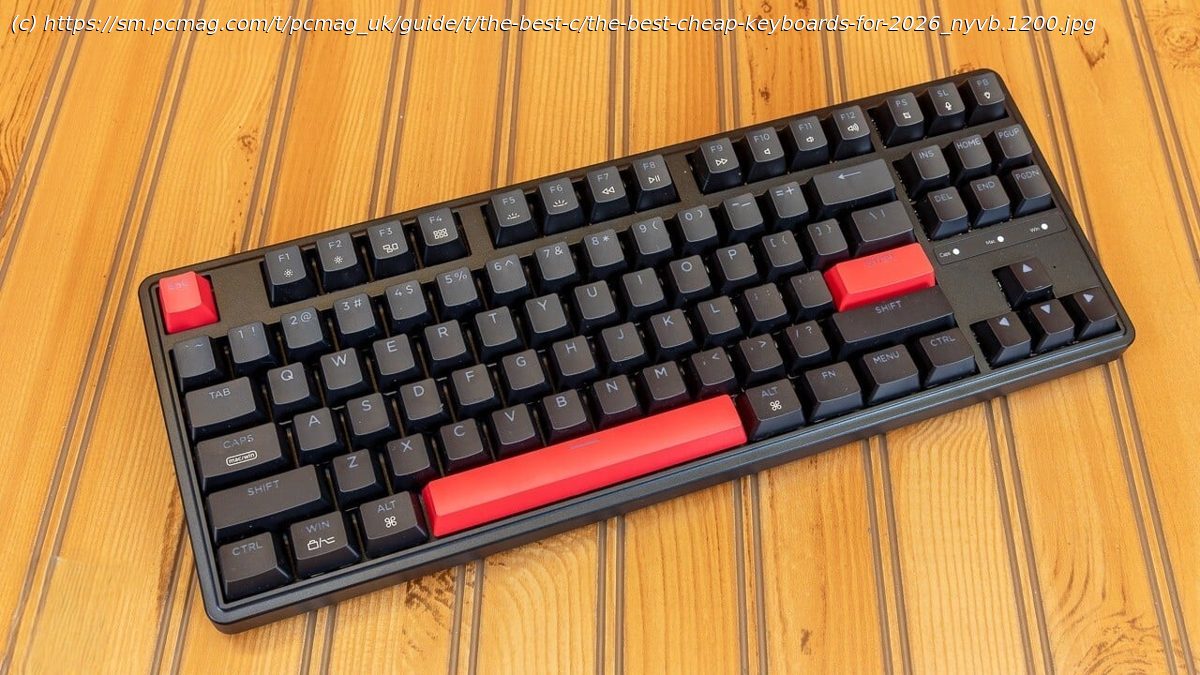
An inexpensive mechanical keyboard with shine-through PBT keycaps and built-in cable management, the Keychron C3 Pro delivers what you’d expect from a wired mechanical keyboard for a sweet price. Keychron Red switches provide satisfying key presses, something you can’t take for granted on budget boards. The plastic frame may feel flimsy compared with more premium boards, but the C3 Pro remains an excellent value. Who It’s For
Users who want a mechanical keyboard: If you’re longing for a compact mechanical keyboard and don’t want to spend a bundle, the Keychron C3 Pro is a very capable entry-level mechanical keyboard.
Users who hop between multiple operating systems: Using both Windows and macOS machines? The Keychron C3 Pro is an excellent option that can handle both operating systems.Why We Picked It
Graphics cards, fast monitors, $70 AAA games: PC gaming can get plenty expensive, and premium gaming keyboards hit your wallet at least as hard as other upgrades you might consider. But the Corsair K55 RGB Pro can keep gamers competitive while keeping their checkbooks in the black. With dedicated macro buttons, a detachable wrist rest, and RGB lighting, the K55 RGB Pro certainly looks the part. It’s not a mechanical board, but it does offer a comfortable-enough typing experience, whether you’re playing games or just surfing the web. Its plastic body gives away its budget roots, but it’s a reliable gaming keyboard for just about any situation.Who It’s For
Gamers on a budget: If you’d prefer to save your money for new games rather than splurge on a new gaming keyboard, the budget-friendly Corsair K55 RGB Pro offers everything you need.
Casual gamers: Sure, there are many cool ways to improve your input latency and reaction times, but if you want a keyboard that handles the basics, the Corsair K55 RGB Pro is more than capable.Why We Picked It
Compact and pleasing to the eye, the Logitech Wave Keys is sculpted with a rise near the center, providing a comfortable typing experience and, more important, an intuitive one.