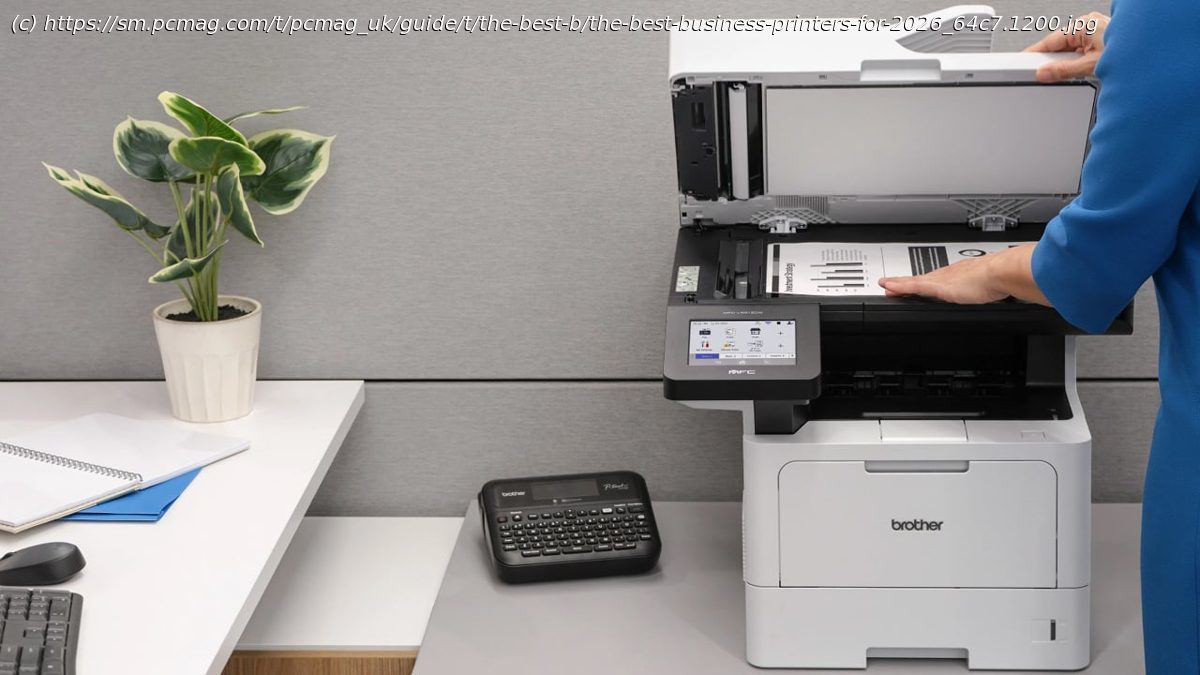
Whether you need a simple desktop monochrome laser for a home business, a color machine for churning out handouts and presentations, or a multifunction printer for a busy office, we’ve got a top tested pick for you.
What do single-person home offices and multinational conglomerates have in common? Sooner or later, they all need a printer. Business-oriented printers designed to serve them span a huge array of models, and picking among them can be tricky. Deciding how well a printer will serve your business entails evaluating monthly output volume, paper input capacity, usability features, running costs, and more. Let us help you decide: We’ve been reviewing printers for decades, using methodical testing criteria and assessing printers on the basis of speed, image quality, cost of printing, connectivity, and much more. Below, we’ll run through our top tested business-printer picks. The Epson EcoTank Pro ET-5850 is our top recommendation for high-volume printing in an AIO model, but each of the others is excellent in its own way. They’re followed by all the buying advice you need to buy the best printer for an office of any size.Why We Picked It
The Epson EcoTank Pro ET-5850 is an all-in-one printer designed to churn out 3,000 to 4,000 pages per month in today’s busy small and midsize offices and workgroups. Its high input capacity, relatively high volume ratings, excellent print quality, low running costs, and strong lineup of productivity and convenience features make it a shoo-in as our current favorite midrange color AIO printer. The ET-5850 delivers a balanced tradeoff between running costs and features, allowing you to print and copy thousands of color pages each month without breaking your organization’s monthly budget.Who It’s For
Most offices: The ET-5850 prints well and inexpensively, offering generous input capacity as well as lofty volume ratings, making it a good fit for busy offices.
Cost-conscious businesses: With low running costs, this Epson business printer offers incomparable value for small businesses and workgroups that print a lot.Why We Picked It
The tabloid-size Brother MFC-J6955DW all-in-one printer is speedy and can scan both sides of a page at once, making it a compelling choice for small offices and workgroups. The MFC-J6955DW also offers good-enough output quality for most business needs. Graphics on plain paper delivered vibrant color and smoothly shaded gradients in our tests, and the MFC-J6955DW scores well on running cost too, at 1 cent per page for a standard letter-size monochrome black page and 4.9 cents for a color page.Who It’s For
Businesses that print in tabloid: The MFC-J6955DW is the obvious choice for businesses that need to print and scan tabloid-size pages.
Businesses that send faxes: This Editors‘ Choice-winning inkjet AIO can fax (as well as print, scan, and copy), making it an excellent option for those who still rely on this communication method. Why We Picked It
The Brother MFC-L2900DW XL mono laser all-in-one printer delivers every feature a small office needs, including the convenience of single-pass duplexing for copying, scanning, and faxing. Its street pricing is higher than that of some older models with similar scan capability. However, the MFC-L2900DW comes in a smaller size, making it a better fit if flat space is at a premium.Who It’s For
Space-strapped offices: The MFC-L2900DW is relatively compact for its features, making it a good choice for installation in tight office spaces.
Home offices and businesses with moderate printing needs: This printer offers paper handling that’s suitable for moderate-duty printing in a small or home office, thanks to the 250-sheet drawer and single-sheet bypass tray. Both can handle up to legal-size paper, including for auto duplexing. Brother’s recommended monthly maximum is up to 2,500 pages.
Businesses that require high-quality text printing: Our tests show that the text quality for the MFC-L2900DW is more than suitable for most offices. Why We Picked It
The Epson EcoTank ET-3950 stands out for its fast simplex (one-sided) printing and its automatic duplex scanning, making it the all-in-one inkjet printer to beat for home offices. This and other bulk-ink models‘ highest appeal is their exceptionally low running costs—about 0.3 cent for monochrome pages and 1.1 cents per color print. Prints look good, too: Text is well-shaped and highly legible, good enough for any business use except those requiring tiny fonts. For graphics on plain paper, the default settings deliver visually appealing, reasonably saturated color with smooth fills and gradients. Who It’s For
Remote workers: The ET-3950 is a terrific value for people who work from home and have moderate print and copy needs and will appreciate an ADF that auto-duplexes.
Anyone who prints often: This Epson printer’s paper handling is well-suited for moderate or heavy-duty use by micro and home office standards, as long as you don’t need to switch between different types or sizes of paper very often.Why We Picked It
Epson’s EcoTank Pro ET-16650 is a feature-rich wide-format all-in-one printer capable of printing pages up to supertabloid size (13 by 19 inches), as well as scanning and copying standard tabloid size (11 by 17 inches). As one of the company’s bulk-ink EcoTank AIOs, it also prints color pages at an exceptionally low cost per page. This makes it our top recommendation for a medium-volume wide-format AIO for small offices and workgroups.Who It’s For
Small businesses: Small businesses with robust printing, copying, and other document processing needs (and the occasional need to print and digitize huge sheets) will find little to dislike about the EcoTank Pro ET-16650.
Businesses that need borderless printing: The ET-16650 supports borderless (known in the document design world as „bleeds“) photos and documents up to tabloid size, allowing you to use your printer for creating quality, professional-looking marketing material.Why We Picked It
HP’s Color LaserJet Pro 4201dw is a fast color laser printer with top-notch print quality that’s well-equipped for moderately heavy workloads. With its ample paper capacity, 4,000-page monthly volume rating, and optional paper-input tray, this model is an excellent workhorse for busy offices. While it’s a great color laser printer, its color toner costs are on the high side end.Who It’s For
Workspaces with occasional color printing needs: If you print mostly in monochrome, this HP printer’s relatively high color print costs will be less of an issue. Assuming that you’re willing to pay more up front for the 4201dw’s high-yield replacement cartridges, you can expect to pay around 2.5 cents for a typical monochrome page and around 15.2 cents for a typical color page. That’s quite competitive for monochrome but somewhat high for color output.
Businesses that sometimes print photos: The 4201dw from this printer produces some of the best photographic prints that we’ve seen from a color laser printer, making it a great fit for businesses that sometimes need to print photos. Skin tones look natural, which isn’t always the case with color laser printers. As with any laser printer, you can’t print borderless photo pages as you can with an inkjet, but the 4201dw’s photo quality should be more than adequate for casual business documents such as newsletters, brochures, and real estate flyers.Why We Picked It
The Brother MFC-L3780CDW offers excellent output quality with relatively low print costs, making it our top recommendation for a color laser all-in-one printer for small offices or workgroups. Brother rates the L3780CDW’s print speed at 31 pages per minute, which is relatively fast for an entry-level color laser-class AIO, and it lived up to its rating in our testing. When using Brother’s super-high-yield cartridges, print costs are quite reasonable: about 12.3 cents per color page and 2.3 cents per black-and-white page. And while the $499.99 price is on the high side for an entry-level color laser-class AIO, it’s not unexpected these days for a capable and well-equipped model.Who It’s For
Small businesses that require color printing: The MFC-L3780CDW is an obvious choice for small businesses, home offices, and workgroups that need to print in color without breaking the bank.
Cost-conscious offices: This Brother printer is an affordable option for offices, as long as you buy the super high-yield toner cartridges.
Businesses with repetitive printing needs: This printer is a top choice for businesses that have monotonous printing requirements, since you can set up as many as 48 shortcuts in up to eight separate tabs for frequently used settings related to copying, scanning, faxing, emailing, or storing/retrieving documents. With a bit of planning, you could use the tab structure to organize your shortcuts by type of document, function, or destination.






