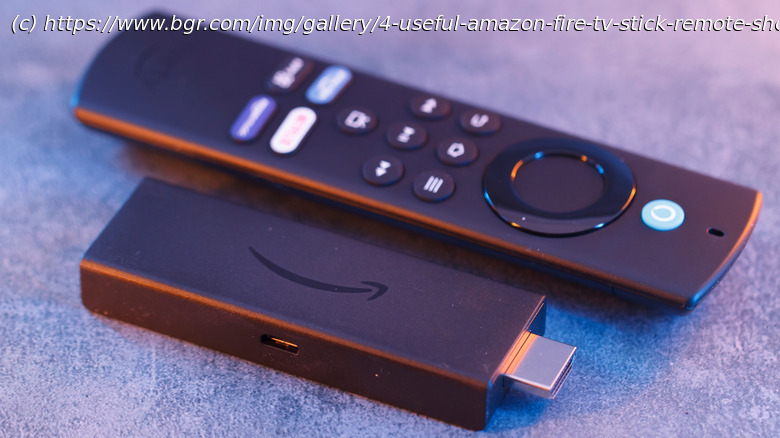
Did you know your Amazon Fire TV Stick’s remote packs some very useful hidden shortcuts that let you reboot, restart, access the quick settings menu, and more?
Amazon’s Fire TV Sticks are pretty popular as value-for-money media streaming devices. Besides playing your favorite movies and TV shows on demand, Fire TV Sticks can do a number of cool things, including controlling compatible smart home devices and even showing the live feed from your Ring camera directly on your TV. However, it’s not just the streaming device that does all the heavy lifting; the included Fire TV Stick Remote also has a lot of cool stuff hidden that you can’t guess by just looking at it or its buttons.
One of the highlights of the current crop of Fire TV Stick remotes is that they include buttons to control your TV. For example, the Fire TV remote can change your TV’s volume, mute it, or turn it off. However, beyond these functions, the remote has hidden shortcuts that are typically triggered by holding certain buttons or using a combination of buttons. These shortcuts can come in pretty handy if you don’t want to spend time navigating the Fire TV OS interface to trigger the same functions. Here’s a list of some of the most useful Fire TV Stick remote shortcuts.Launch quick settings from anywhere
The quick settings menu on the Fire TV Stick devices is pretty useful as it includes some of the most commonly used options in one place. For example, you can use it to view and switch profiles, open the app drawer to quickly access all your Fire TV essential apps, put the device to sleep, start screen mirroring, and open the full settings. It also shows you the time and date. The easiest way to reach quick settings on your Fire TV Stick is to press and hold the home button on your Fire TV remote for five seconds.






