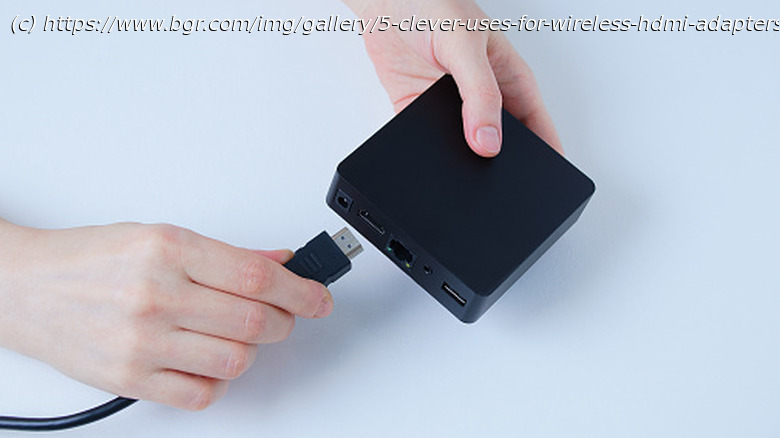
If you’re trying to connect your display to something far away or just don’t want to deal with the hassle of wires, you may consider a wireless HDMI adapter.
Wireless HDMI adapters eliminate the need for physical cables between video sources and output displays. This makes them handy pieces of tech for anyone looking to reduce cable clutter or share their screen wirelessly. The home and office are the most likely use cases for wireless HDMI adapters, as they allow users to share content from smaller devices, like laptops, onto larger TV screens. This is particularly effective when streaming movies and TV shows, or when needing to share a laptop screen for a work presentation.
But the obvious applications barely scratch the surface in terms of how wireless HDMI adapters can be used. Most are capable of Full HD 1080p video transmission, if not 4K resolution. Additionally, their plug-and-play nature makes them easy to set up, and with transmission ranges covering more than 300 feet, most adapters can be used in a number of different ways. Wherever you currently use an HDMI cable, a wireless HDMI adapter can be used as a replacement. But if you’re looking to get creative, we’ve come up with some alternative uses for wireless HDMI adapters.Wireless webcam
Webcams often deliver average image quality, which can affect things like professional video calls and even content creation. Cheap webcams can max out at just 720p resolution, but DSLR and mirrorless cameras offer far better image quality. They have larger sensors, better autofocus, and an interchangeable lens system that provides control over depth of field. Really, any dedicated camera you may have lying around the house has the potential to produce a better image than a standard webcam, and with a wireless HDMI adapter, you can connect it to your laptop, PC, or other HDMI output source.
In a situation like this, you’ll need to ensure the camera has HDMI out capabilities. If that’s the case, you can connect the wireless HDMI transmitter to the camera’s HDMI port, then connect the wireless HDMI receiver to the device you want to transmit the video image to. Positioning the camera in the right place will be important, but this setup gives you far more versatility than using a standard laptop or PC monitor webcam. With everything connected wirelessly, you can place the camera above the computer display for a more traditional view, or you can get creative with your video chat composition.






