It’s fast and easy, and it all happens inside ChatGPT, with no Instacart+ required.
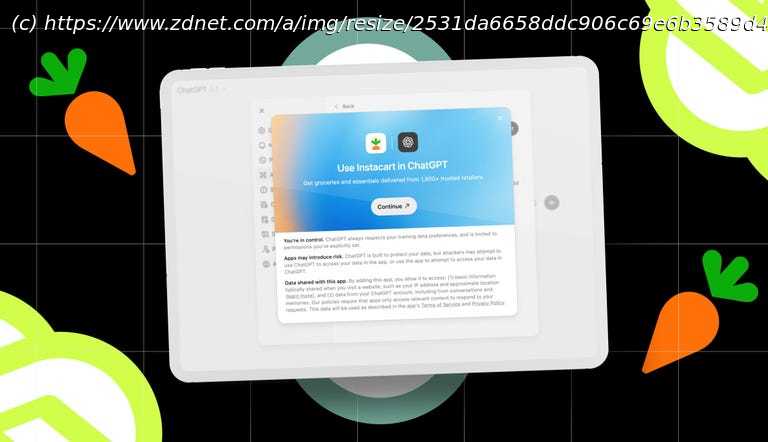
Instacart now works directly inside ChatGPT for end-to-end shopping.
You can shop with natural prompts and check out without leaving ChatGPT.
From cart building to scheduling delivery, the process takes just minutes.
Shopping through ChatGPT is getting easier and more useful every day. Instacart, for example, is now integrated directly into ChatGPT with a full end-to-end instant checkout process. That capability means you can use natural language prompts to shop for anything locally (if it’s available and supported in your area) and order it for delivery through Instacart, all without leaving ChatGPT.
No switching between tabs. No spending 20 minutes hunting down ingredients. No leaving your house. Amazing.
I tried it for myself just now to shop for Christmas cookie ingredients, specifically Danish butter cookies. The entire process, from recipe planning to checkout, took place in one conversation and in about two minutes. It was the most painless shopping experience I’ve had with AI so far. I could see this approach becoming a go-to option for weeknight dinners or last-minute pantry emergencies.
Here’s exactly how to set the integration up and shop with it. How to shop with Instacart in ChatGPT
What you’ll need: A ChatGPT account, an Instacart account, and a minute to link them before you start shopping. 1. Connect Instacart to ChatGPT
Before you can shop through Instacart, you need to link your Instacart account to ChatGPT, whether you’re a free user or a Plus subscriber. You only have to do it once, and both free Instacart users and Instacart+ members can connect. Once linked, ChatGPT can pull items locally, build your cart, and let you check out inside the chat.
How to connect:2. Ask Instacart for help
ChatGPT can surface the Instacart app the moment you ask for it. You’ll see the Instacart logo appear in the prompt field, indicating it’s ready to build your cart inside ChatGPT.
Try prompts like:
“Instacart, help me shop for Christmas cookie ingredients.”
“Instacart, I want to make chicken alfredo. Build me a cart.”
“Instacart, find me gluten-free snack options.”
“Instacart, order me McDonald’s.”
What you can ask depends entirely on which stores and restaurants in your area have partnered with Instacart, of course. I live rurally and don’t have many options, but I can shop for groceries through my local supermarket.
So I started with: “Instacart, can you help me shop for Christmas cookie ingredients?”
ChatGPT instantly opened the Instacart app interface inside the chat window.3. Pick a local store or restaurant
ChatGPT can suggest nearby businesses based on your location, or you can name one yourself. Selecting a store tells Instacart where to source your items, allowing it to check inventory, pricing, and add products to your cart.
I asked the AI to use my local Price Chopper supermarket.
How to choose a store:4. Say what you want
This is where you say what you’d like to buy. You can list everything at once or break it up item by item.
Since I’m making Christmas cookies, ChatGPT suggested some common ingredients I might need, like flour, sugar, eggs, sprinkles, and frosting. I wanted Danish butter cookies, so I fed it a link to my favorite bookmarked recipe. ChatGPT can take a recipe link, pull ingredients from memory, or search and recommend alternatives.
Ways to tell ChatGPT what you want:
List items or ingredients manually.
Paste a recipe URL.
Describe it casually (“classic chocolate chip cookies”).
Upload a screenshot or photo of the recipe or item.
Ask it to pull from memory or the web.
Since I fed ChatGPT a link to a Danish butter cookie recipe, the AI parsed it instantly and then asked me to specify quantity and sizes or choose standard-size ingredients (e.g., 1lb butter instead of exact recipe measurements). I said yes to standard sizes because it’s easiest, and I can always use leftover baking ingredients later.5. Review your cart and check out
When you’re finished shopping, it’s time to review your cart and check out, all in ChatGPT. You can specify a tip amount and delivery window, then proceed to payment. Checkout is finalized using Instant Checkout, powered by Stripe. If you forget something at any time, simply ask to add the extra items before you pay.
To finish and place your order:
My entire cart populated automatically, and with a couple of clicks, I paid and scheduled delivery. Easy peasy.
No. Any Instacart account works. You don’t need Instacart+, and you can use free ChatGPT.
Only once. After that, simply prompt with “Instacart.” and the app will load automatically inside ChatGPT.
Yes. Instant Checkout with Instacart works in ChatGPT on desktop and in the mobile apps.
Absolutely. Your success depends on the businesses nearby that work with Instacart. You can ask in ChatGPT, and it’ll tell you.