Intel’s Panther Lake shines, but more than that, this laptop proves two screens are better than one.
There are few times I can honestly say I’ve been surprised in my job reviewing laptops. Fewer times I can come out and claim I know what I have been missing. My job requires me to use a lot of gear, and most of it is iterative, derivative, or too awkward and pricey to be good for all but the connoisseurs of funky gadgets. So when I came across the newly redesigned Asus Zenbook Duo with the Intel Core Ultra Series 3 flagship chip inside, I found myself amused at my own bemusement—and for once—for all the right reasons.
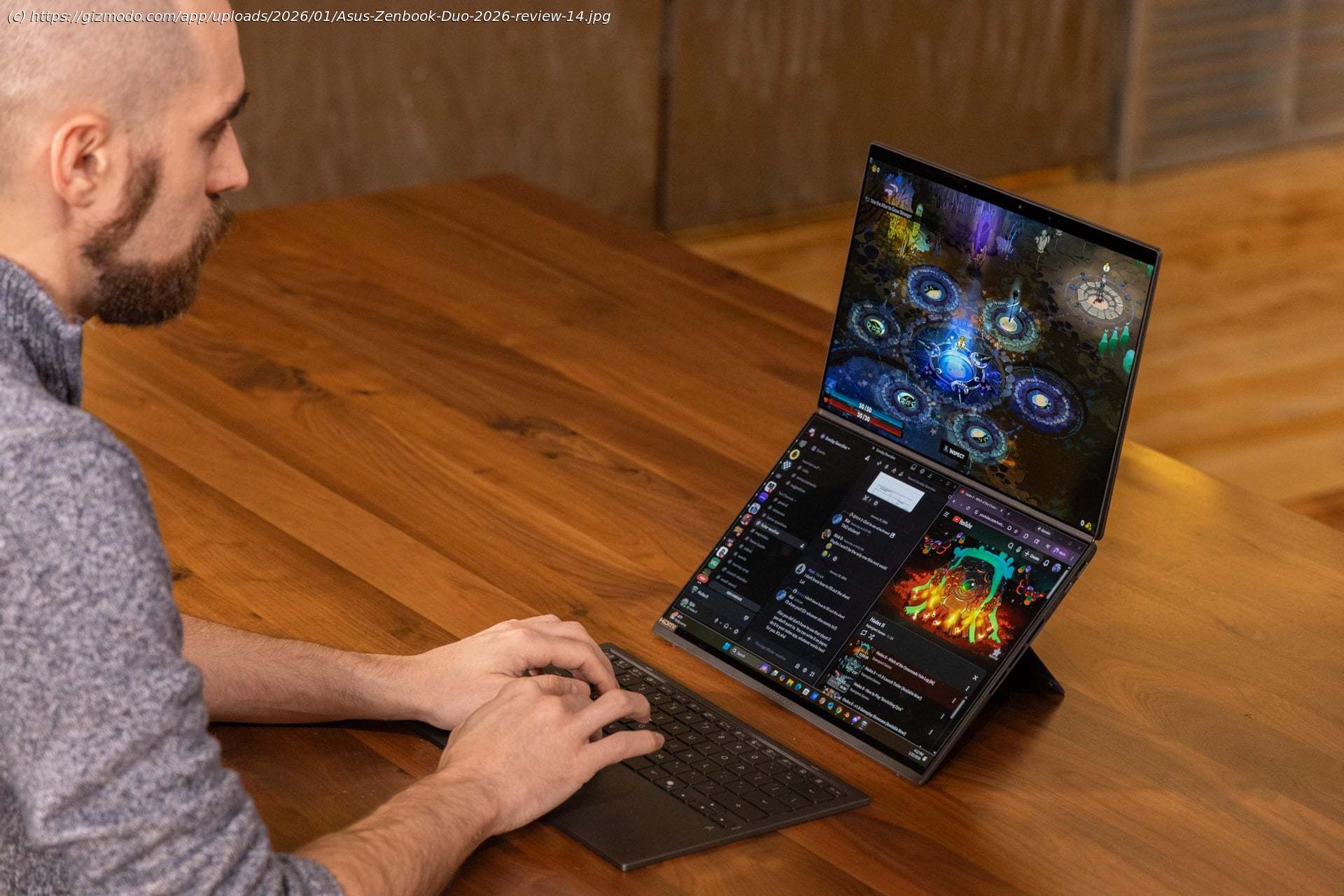
So let’s get the obvious out of the way. The Zenbook Duo is a dual-screen laptop. There’s an included kickstand that lets you prop up its two 14-inch screens in a vertical format. If you want to be the weirdest guy at Starbucks, the one who cannot turn off work even when they’re sucking down their fifth venti frappuccino, this is the laptop for you. However, I can already tell the Zenbook Duo has spoiled me. This notebook will still run well and for a good long while, even with both screens showing off their pretty pictures.
The Zenbook Duo isn’t a new idea. Asus showed off a previous dual-screen laptop back in 2024. The same Taiwan-based company is also making a new gaming-centric ROG Zephyrus Duo that adds even more ways to orient the screen. The new version of the Zenbook Duo has significantly reduced the size of the bezels around the twin screens so that you can treat the device as one seamless display—like a foldable, but better. The keyboard that magnetically attaches to the bottom screen feels comfortable whether it’s on the laptop, on your desk, or sitting on your crossed legs. And thanks to the great performance, I don’t feel like I’m sacrificing anything on the altar of novelty.
This laptop also comes with a solid setup of 32GB of RAM and a 1TB SSD. For background, Intel shipped me the Zenbook Duo for review, not Asus. The chipmaker is pinning much of its hopes for consumer products on Panther Lake, the internal code name for the new Intel Core Ultra Series 3 chips. This laptop houses the Intel Core Ultra X9 388H, the highest-end Panther Lake chip with the touted 12Xe3 GPU cores. This is Intel’s answer to AMD’s leading Strix Point APUs, aka accelerated processing units, with extra graphics capabilities. The one big difference between Intel and AMD is that “Team Blue” is promising you can get all the benefits of lightweight laptops—namely battery life—with additional GPU capabilities for graphics tasks. Hell, the Zenbook Duo is good for gaming, at least to an extent.
And if you want those extra graphics capabilities (admit it, you do), you’ll need to spend $2,300 for the laptop with the added 12Xe3 cores. A model with the Core Ultra 9 386H CPU, Intel’s top chip without the extra GPU power, costs $2,100. Asus told Gizmodo the company was still ” finalizing schedules” for the eventual release date. The Zenbook Duo is a pricey laptop, though we still don’t know how it will compare to other laptops from this year. More screens will mean a higher price, but with memory prices getting worse every day, you shouldn’t expect to see many cheap machines with any variety of punchy processing power in 2026.Size does matter, just not as much as you think
I’ve become so used to laptops with slim frames that holding a thick-bodied notebook somehow feels anachronistic. The Zenbook Duo is just over 0.91 inches thick, which in the end isn’t that much. The dual-screen laptop is heavier than most of Asus’ other Zenbooks, especially its incredibly light Zenbook A14. At the same time, frisbee light machines don’t have the kinds of amenities you get on the Zenbook Duo.
Sacrifices are a necessity to fit two screens in a single chassis. Instead of a laptop with little room between its screen and keyboard, the Zenbook Duo adds a little more tolerance, enough to fit the magnetic keyboard in between both OLED touchscreens.
Like all of Asus’ 2026 Zenbooks, the Duo is covered in the company’s “Ceraluminum” texture. Yes, it’s a nonsense word used to describe the anodization process to make these laptops feel more like a piece of pottery than an aluminum behemoth. You’ll feel this mostly on the laptop lid and the Bluetooth keyboard’s palm rests. The individual keys also hold this texture, which has the added effect of making each letter and number feel slippery compared to most other keyboards I’m used to. It’s not like the keyboard is an ice rink or that the keys are more difficult to type on. It’s just a small detail that takes time to get used to.
That detachable keyboard is the linchpin of the entire Zenbook Duo design. It adheres via magnets housed in the bottom screen’s bezels and charges by a set of pins found at the very base of the laptop. The keyboard has a small amount of give if you put enough pressure on either side, where it can shift slightly side to side. The magnets are strong enough; you shouldn’t have an issue typing (I learned the hard way that these magnets tend to stick to any metal table you’re working on). The main reason you get the Zenbook Duo is because the keyboard can come off, revealing the second screen. That’s where this laptop comes into its own.Larger displays are good, but two screens are even better
Having not one but two 14-inch OLED monitors on a laptop of this size feels luxurious once you compare it to existing options for mobile multi-screen setups. I’ve tried devices like the first-gen Xebec Snap, which includes smaller LCD screens that hook onto the laptop connects via one USB-C port. Portable monitors like the Auro Triple Aero Pro Max are far too cumbersome and ugly to boot.
The Zenbook Duo’s screens are mirrors of each other, though only the bottom screen supports the magnetic keyboard attachment points.