Intel’s new Boost overclocking profile for Arrow Lake really does offer some significant gaming performance uplifts.
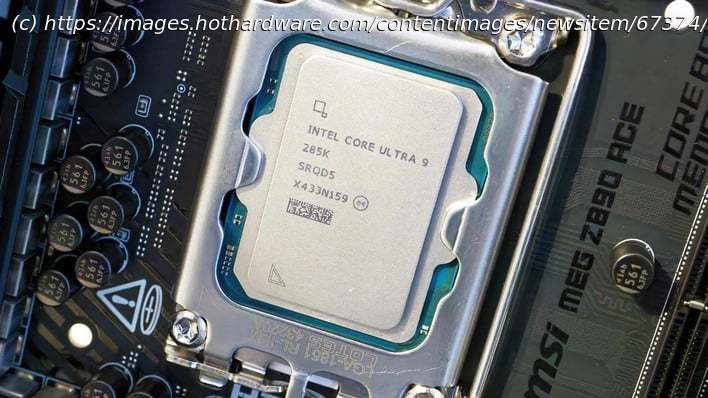
We reported yesterday on Intel’s new Boost profile for its Core Ultra 200S processors. More accurately, it’s really the Core Ultra 200K processors, as the applicable chips are the Core Ultra 9 285K, the Core Ultra 7 265K, and the Core Ultra 5 245K, as well as their GPU-less « F » variants. We happen to have a Core Ultra 9 285K and a handy test bench ready, so we decided to test Intel’s new Boost mode for ourselves.
This screenshot from HWiNFO shows you the main difference between default settings and the Boost profile. By raising the System Agent voltage a bit, it’s possible to drastically increase the « NGU » and « D2D » clock rates. NGU stands for Next-Generation Uncore, and refers to the clock rate of the CPU’s I/O and memory controllers, among other components. Meanwhile, D2D stands for « Die to Die », and it’s the fabric between the CPU’s tiles.
This type of overclock isn’t new, but enthusiasts noticed very soon after the launch of Intel’s Arrow Lake desktop processors that increasing these clock rates could have an outsized effect on gaming performance. Intel’s profile bumps them from 2600 (NGU) and 2100 (D2D) to 3200—a sizable jump for these components.
MSI released a new firmware for our MEG Z890 ACE motherboard containing the Intel Maintenance Release 1 update and the Intel Boost overclocking profile yesterday, so we decided we’d take a look at how well it works. We tested seven games across a variety of graphics APIs and game engines, and we came up with some pretty interesting results. Let’s take a look, shall we?Intel Core Ultra 9 285K Boost Mode In Cyberpunk 2077
We’ll kick things off with Cyberpunk 2077, arguably the most popular benchmark of the last few years. For our testing in this piece, we’ve paired the Core Ultra 9 285K CPU with a Radeon RX 7800 XT, both because it is one of the fastest GPUs we had on hand and also because we’ve observed some odd scaling behavior with GeForce cards on this CPU. We wanted to present as fair a picture as possible, so we’re testing in 1080p resolution, but with a relatively ‘realistic’ config that someone might actually want to use, not slammed-to-the floor settings.
In Cyberpunk 2077, we do see a very small but very consistent uplift in performance.