The Xyber Hydra offers solid transfer speeds and expansive storage, but it takes some work to get up and running.
Xyber Hydra NAS
The Xyber Hydra NAS is on sale for $219 on the official site.
You can get some pretty impressive transfer speeds and massive storage with this NAS.
To make it work, you’ll need to dedicate some time to installing and configuring software.
When I received the Xyber Hydra NAS (Network Attached Storage) device, I assumed it was a fairly typical plug-and-play situation. After unboxing, I should theoretically be able to plug the device in, log in, run through a quick setup, and wind up with a nice storage solution for my network.
Unfortunately, that was not the case.
If you go to the X-Plus store and look at the Hydra, you’ll get plenty of description for the hardware, but next to nothing for the software. Sure, the page indicates it dual-boots Windows and Linux, but there’s zero mention of the software it employs to make it an actual NAS device.
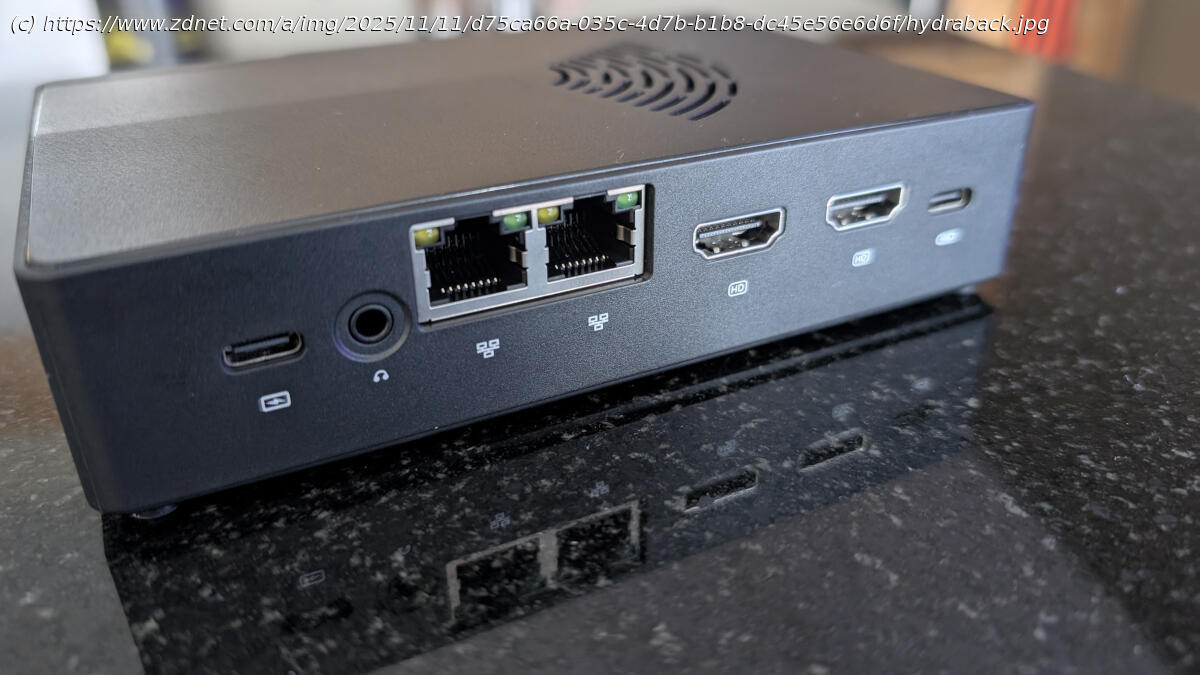
You get four SSD bays, plenty of USB ports, two HDMI ports, two 2.5G Ethernet ports, Wi-Ffi and Bluetooth — all of which come together to make for a very nice home-based NAS device.
But, again, what about the software? A NAS is only as good as the software it includes, right? After all, you don’t want to buy the device, only to wind up having to install the necessary software to make it a NAS.
Yet, that’s precisely what the Xyber Hydra NAS is: a tiny plastic box with enough power and hardware to be used as a NAS, but no software to serve the purpose.Xyber Hydra NAS
The Xyber Hydra NAS has some impressive stats, but isn’t exactly plug-and-play. My experience
After connecting the device to a monitor, keyboard, and mouse, I let it boot into Ubuntu Linux to see what was what. The distribution is Ubuntu, and, oddly enough, it booted directly to the login screen with the user «xyber-co» and no password.
My first bit of business was to create a new account with an actual password. Once I did that, I logged out of the pre-configured account and logged back in with the new account.






