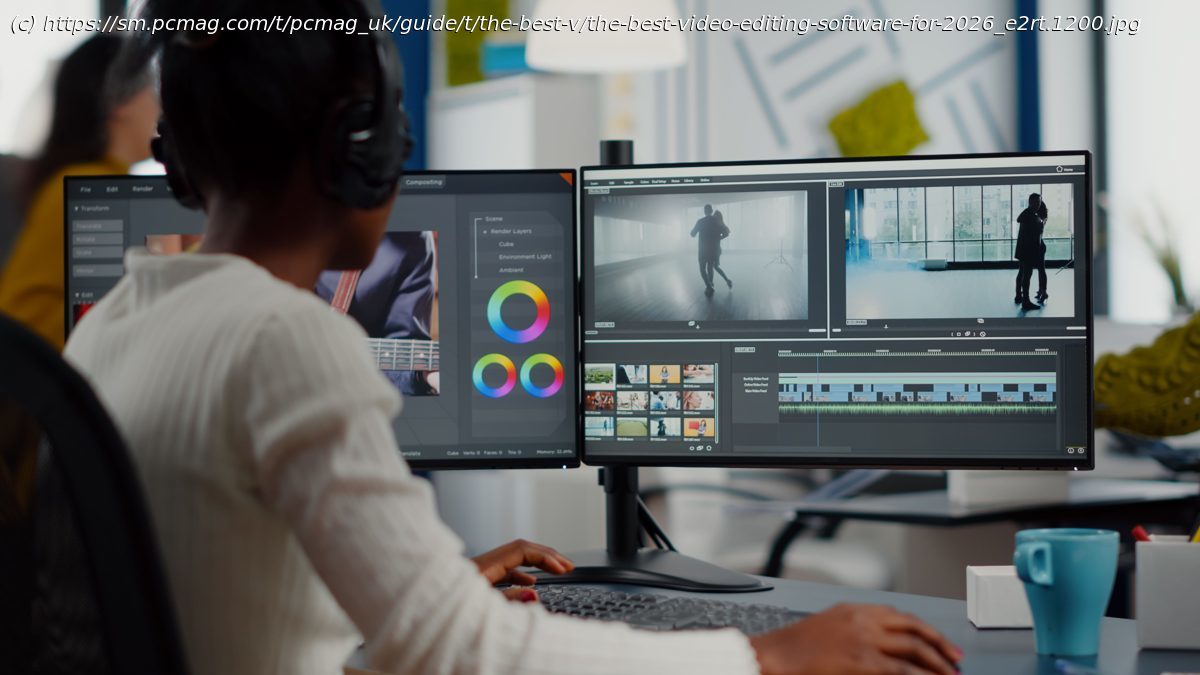
Whether you’re creating short videos for social media or working on a feature-length film, we’ve tested and rated the top video editing software for every type of user.
To make great videos for Facebook, Instagram, TikTok, YouTube, or even the big screen, you need more than a capable camera—you need the right editing software. PCMag has been rigorously testing and reviewing video editing software for more than 20 years. We’ve covered dozens of applications, continually updating the reviews to keep pace with their numerous changes. Based on current testing, our top picks are Adobe Premiere Pro for professionals and CyberLink PowerDirector for enthusiasts. Those aren’t the only options worth considering, however. Check out all of our top picks below, followed by expert advice to help you determine the best software for your needs.
Thanks to its exceptional usability, leading performance, and vast feature set, PowerDirector has long been our top video editing recommendation for enthusiasts. You can apply keyframed effects, edit multicam and VR footage, trim clips, and much more. CyberLink has been quick to add support for new video effects and formats as well. The software now includes a range of generative AI features, such as anime video effects, auto-captioning with text-based editing, and auto-face-blurring capabilities without motion tracking. Despite its massive capabilities, the program’s interface is clear and less intimidating than pro-level alternatives.Why We Picked It
We chose CyberLink PowerDirector because it offers the most editing features of any product we tested, while maintaining a user-friendly interface. It also delivers fast performance.
Editing tools: PowerDirector includes the basic join and trim editing tools you expect in any video editing software. However, it also supports more advanced activities, such as color grading, keyframing, masks, multi-camera, multi-track, PiP, and video denoising.
Interface: PowerDirector has a straightforward editing interface layout, with a timeline across the bottom that’s easy to navigate. Despite its huge number of editing features, the user experience isn’t overwhelming; it’s easy to access the features and tools you need.
Automatic movies: If you don’t want to fuss with the gritty details of video editing, PowerDirector includes several automatic editing tools, including templates and a four-step Magic Movie Wizard. If you create content for YouTube, you will love its Video Intro Designer, which helps you create consistent, polished intros for your posts.
AI features: PowerDirector can already do many of the whiz-bang AI tricks that more expensive, pro-level software can. For instance, it can apply artistic effects to your video content, generate Anime-style videos based on your text prompts, generate spoken voice-overs from text, and replace backgrounds and skies.
Text tools: In addition to offering fully capable title and caption creation tools for text, PowerDirector can automatically generate captions from speech in your soundtrack. It also allows you to edit the video based on those captions, eliminating all pauses, ums, and uhs.
Performance: The software consistently ranks as a top performer in our output rendering tests, nearly matching more expensive software like Adobe Premiere Pro and DaVinci Resolve. To make editing faster, it creates proxy files so you don’t need to wait for media to load when you move around the timeline.
Value: PowerDirector costs less than other video editing software with competitive capabilities and performance. That value proposition remains true regardless of whether you buy a perpetual license or opt for a subscription. Who It’s For
Business video producers: PowerDirector has all the tools you need to make a polished presentation video for your business project or proposal.
Video enthusiasts: PowerDirector is an excellent choice for those who want to maximize the potential of their videos. That includes adding background music, intros and outros, text, and transitions; getting the colors just right; and polishing cuts. If you make home videos for your family, PowerDirector is a good fit.
YouTubers: The AI video and audio generation tools, along with the included stock media, should be of particular interest to YouTube creators who can’t hire actors and lack their own studios. The app helps you make compelling videos without a film degree.
Premiere Pro is an industry standard among professional video editors, coming from the leader in creative design software, Adobe. It offers all the collaboration capabilities, color tools, effects, and output options pros could want. Recent updates added AI audio auto-tagging, auto-captioning, , and a unified Color Manager, along with the ability to extend video clips using generative AI. Premiere Pro’s importing and exporting pages are now more intuitive than ever, too. It’s available only by subscription, so it ultimately costs more than most alternatives over time.Why We Picked It
We recommend Adobe Premiere Pro due to its advanced video editing capabilities, cutting-edge AI tools, and high performance.
Editing tools: Premiere Pro offers a comprehensive suite of editing tools that cater to both professionals and enthusiasts, including a range of clip trimming and cutting options, compositing with Photoshop-style blending modes, color correction and grading, masking, motion tracking, multicam editing, stabilization, and support for VR. It integrates well with Adobe’s standard motion graphics tool, After Effects.
Interface: For such a complex, feature-rich piece of software, Premiere Pro makes workflows easy with its clear Import and Export interfaces. The main editing interface is standard but highly customizable, and the program effectively utilizes keyboard shortcuts.
AI features: Adobe, with its Firefly AI technology, continues to add state-of-the-art generative AI capabilities. The highest-profile one among these is Generative Extend, which, as its name suggests, can lengthen a video clip in your timeline in case the one you have doesn’t fill the necessary amount of time. The program also includes AI tools that automatically apply correction LUTs to media, clean up dialog, generate captions from dialog, and match colors in different clips. Its Media Intelligence feature uses AI to identify the contents of clips for easy searching.
Text tools: Like PowerDirector, Premiere Pro includes full-featured title and caption creation tools. You get Adobe’s huge selection of text fonts and deep customization tools, including precise options for effects, placement, and sizing. It’s even possible to edit videos based on captions.
Collaboration tools: Premiere Pro has long offered excellent collaboration tools. However, Adobe’s acquisition of Frame.io puts it ahead of the competition. You can share projects for editing or review.
Performance: Premiere Pro is a top performer in our output rendering tests. The software leverages graphics hardware acceleration, and Adobe has recently updated its support for H.264 in MP4 and MOV formats.Who It’s For
Collaborators: Premiere Pro is an ideal choice for video editors who collaborate with others on video projects, teams that utilize other Adobe Creative Cloud applications, and professionals who need to send projects for client review and approval.
Professional video editors: All the necessary tools and compatibility with workplace ecosystems are at professional video editors’ disposal in Premiere Pro.
Serious amateurs: Premiere Pro is a good choice for serious amateurs who want to move up from a more basic video editing app, thanks to its streamlined interfaces for getting started and sharing projects. You don’t need prior experience in a studio.
360 VR Media Editors: The latest update of Premiere Elements adds 360 VR media support with cutting, effects, and titles, and transitions. You’ll still need to use stitched 360 clips, though, not stereoscopic 180-degree ones.
Simplicity joins a generous set of video editing tools in Apple’s entry-level app. We love the Storyboard features that help you craft compelling digital movies from scratch. And if you shoot with an iPhone, iMovie maintains proprietary Cinematic mode effects in footage. The app even includes advanced tools, such as audio filters, chroma keying, and picture-in-picture. Moving up to Final Cut Pro from iMovie makes for a smooth transition, too.Why We Picked It
iMovie earns a spot as a free, easy-to-use, and powerful video editing application with unique support for Apple devices.
Storyboard and trailers: These two iMovie features help you organize your videos into coherent mini-movies. The Storyboards and Trailers features tell you what kind of shots to include (such as a close-up or group shot) and how long to make each.
Effects beyond what you’d expect: In addition to offering standard clip joining, splitting, and trimming tools, iMovie lets you add effects, such as filters, freeze-frame, and stabilization; create chroma-key (aka green screen) videos, and customize transitions.
Special iPhone feature support: With iMovie, you can edit Apple’s proprietary Cinematic mode videos as well as Apple ProRes video format.
Works with Final Cut Pro: For more power and polish, you can easily open iMovie projects in Apple’s pro video editing software.
Unbeatable price: iMovie comes free with every Apple phone, tablet, and computer, making it a no-brainer if you want to elevate your videos with minimal investment.Who It’s For
Family video sharers with Apple devices: iMovie is a great choice if you’re the family member who wants to create a video of a vacation or Junior’s soccer match and share it with the family.
Video hobbyists: iMovie, whether on desktop or mobile, offers a sufficient range of editing tools and effects to keep video hobbyists satisfied. It also provides them with an on-ramp to the pro-level Final Cut.
Final Cut Pro has a modern interface with a «trackless» timeline. Once you become accustomed to this design convention, you will come to appreciate its flexibility. The app offers a comparable set of capabilities and tools to its competitors, with a more traditional interface as well. The of Final Cut Pro (which requires a $4.99-per-month subscription) dovetails nicely with the desktop application, with support for multicam editing. Why We Picked It
We chose Final Cut Pro because of its approachable, innovative interface and pro-level power. Its perpetual license model is a major advantage. It also offers professionals unique features to streamline their workflows, while remaining accessible to amateur enthusiasts, especially those transitioning from iMovie.
Powerful features: Final Cut Pro includes a few unique capabilities, such as Auditions, Compound Clips, Connected Clips, Roles, and Smart Collections. It also supports Spatial Video editing for later viewing on the Apple Vision Pro.
Slick interface: Final Cut Pro’s «trackless» timeline gives you a lot of freedom in arranging media. Despite the depth of its tools, the app is visually appealing and unintimidating for novices.
AI tools: The program can automatically analyze clips for faces and scenes. Its Magnetic Mask automates rotoscoping, while the Scene Removal Mask handles background removal. The Enhanced Light and Color tool uses AI to analyze and optimize media. Smooth Slo-Mo is another self-explanatory AI tool.
A one-time price: Final Cut Pro’s big competition from Adobe, Premiere Pro, requires a continual subscription. With Final Cut Pro, you pay just one.