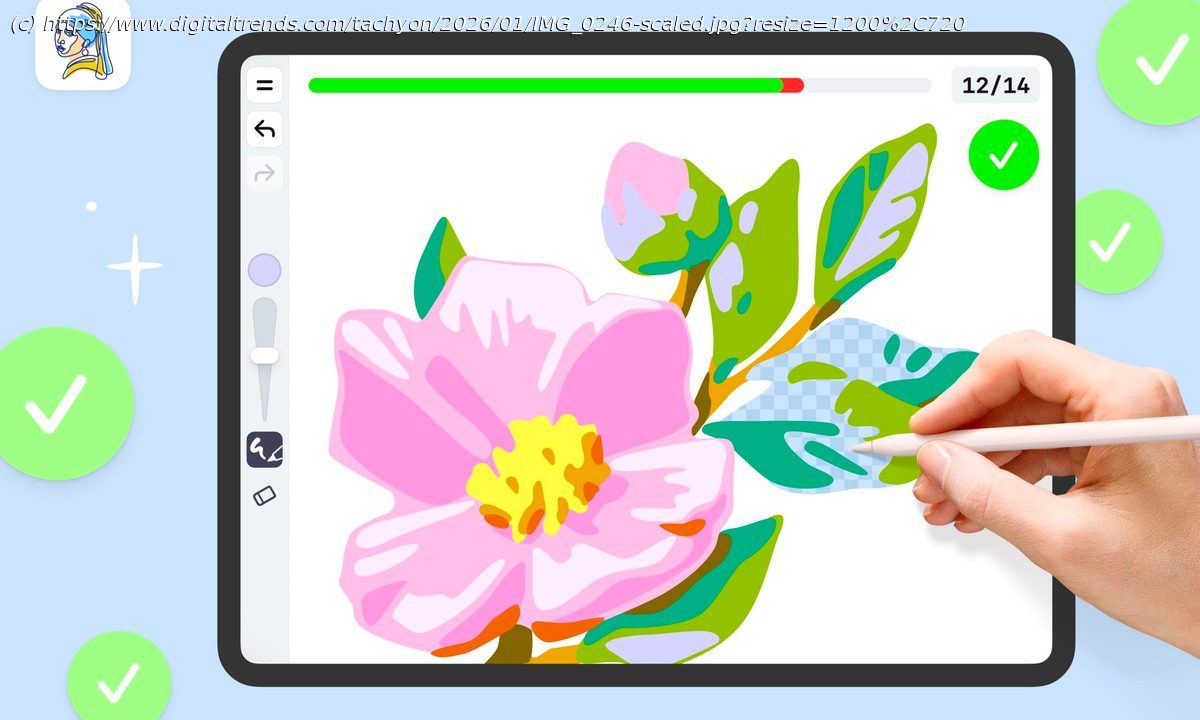
iPad owners searching for a drawing app for beginners can often find themselves with an app that doesn’t really suit their specific needs, or worse, can confuse them in the process. Complex interfaces, dense brush menus, and poor compatibility with tablet tools like Apple Pencils can be real barriers for new learners looking to use […]
iPad owners searching for a drawing app for beginners can often find themselves with an app that doesn’t really suit their specific needs, or worse, can confuse them in the process. Complex interfaces, dense brush menus, and poor compatibility with tablet tools like Apple Pencils can be real barriers for new learners looking to use the app for learning how to draw.
This is where guided drawing trainers like ArtWorkout stand apart.
An iPad drawing app for beginners, ArtWorkout offers a structured, ready-made path for anyone who wants to learn. With step-by-step lessons, stylus-friendly design, and a real-time progress bar that shows how each stroke is going, the app aims to help complete newcomers build a drawing habit that fits easily into everyday life.What makes an app “good” for learning how to draw?
A strong iPad drawing app for beginners essentially needs to act as a low barrier to entry. That means presenting a clean and intuitive workspace and offering guidance that takes users through each step of the experience, so newcomers are never left guessing about the purpose of each tool or the order of each step.
A good design, one with clear and consistent visual cues, a steady progression, and minimal interface noise, is especially helpful for users to focus on the process of drawing and not on how to find different features on the app. When an app delivers these fundamentals well, it turns a tablet into a place where practice feels approachable instead of intimidating.
ArtWorkout was built with those ideas in mind, combining structured guidance with real-time feedback, like a personal trainer would, that keeps learners oriented through every stage of a drawing.
Created by developer Aleksandr Ulitin, the app is organized to give drawing beginners a clear sense of direction from the moment a lesson begins. Its interface walks users through each part of the drawing, starting with the simple guiding lines that form the basic shape and then moving into details, color, and shading. Plus, it comes with a green-and-red progress bar that reacts to every stroke, making it easy to see how closely it matches the desired drawing.






