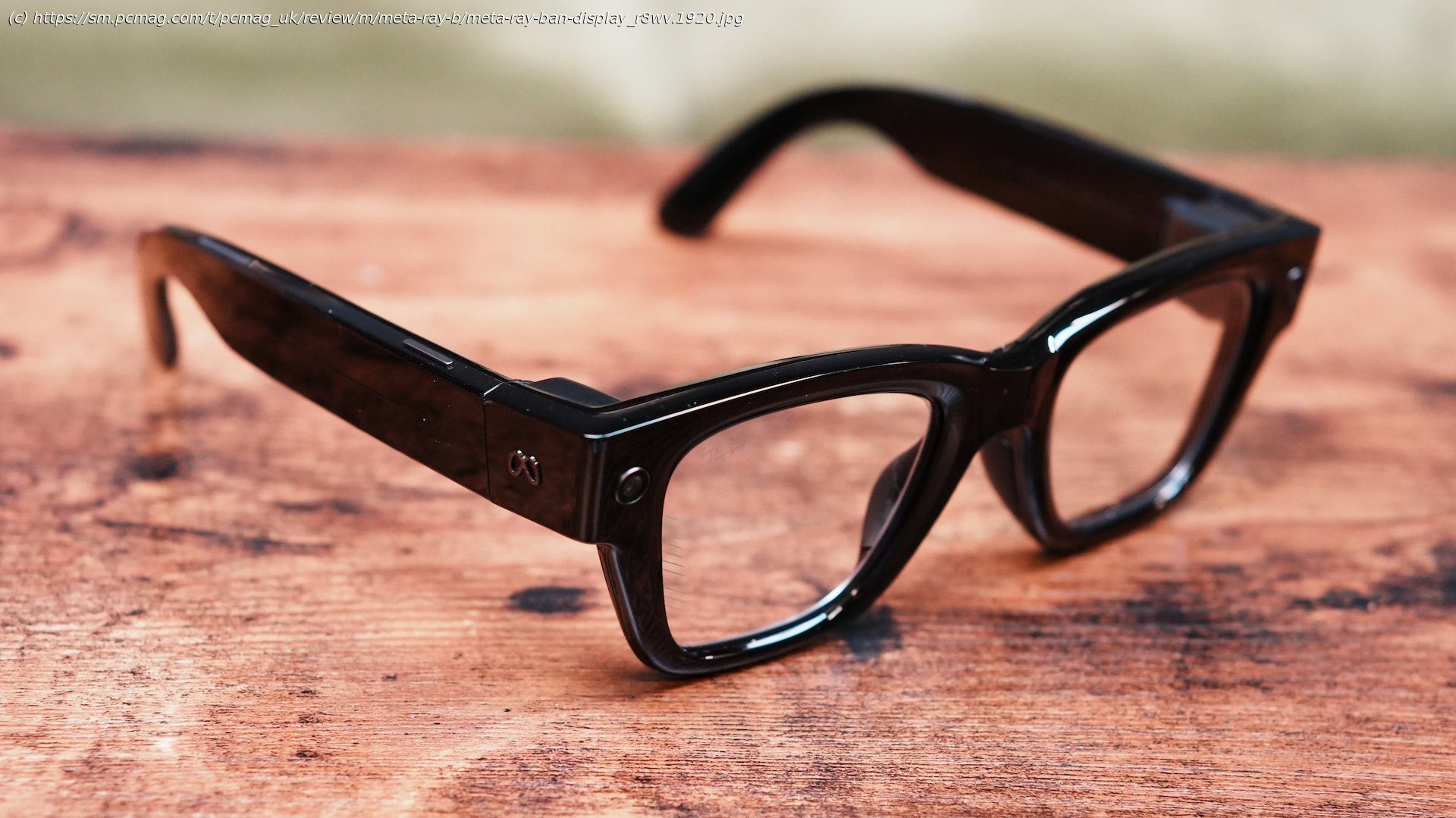
The Meta Ray-Ban Display delivers some of the best hardware and controls you’ll find in a pair of smart glasses, but its tightly closed software ecosystem makes it hard to recommend over more open alternatives.
Display-equipped AI smart glasses are finally gaining traction. Meta’s first attempt, the $799 Ray-Ban Display, impresses with a full-color waveguide in-lens display and a gesture-sensing Neural Band controller, avoiding the need to tap the glasses themselves. The hardware is excellent, but it’s limited by Meta’s first-party ecosystem focus, preventing it from being truly groundbreaking. For broader functionality, the Even Realities G2 ($599) is a better choice. Otherwise, it’s worth waiting to see how Android XR shapes the market.Design: A Fashion Statement—Whether You Like It or Not
I hope you like the look of the Wayfarer-style Meta Ray-Ban glasses, because the Meta Ray-Ban Display is more of the same. The plastic frames (available in black or sand) have the same rectangular lens shape, flat front, and integrated saddle bridge, but they’re noticeably bulkier and have a glossy finish rather than matte. At 2.47 ounces, they’re also heavier than other AI glasses; the non-Display Wayfarers are 1.87 ounces, the Rokid Glasses are 1.73 ounces, and the cameraless Even G2 is a featherlight 1.27 ounces. That said, the heft fits the chunkiness of the frames, and it isn’t unwieldy.
A friend diplomatically described the design as “a choice.” I haven’t gotten that kind of reaction from any other smart glasses before. All the other pairs I’ve tested have passed as ordinary eyewear without a problem. I wouldn’t call these ugly, but they look a bit like costume “nerd” glasses, or a caricature of Ray-Bans.
The temples are mounted on spring hinges and have typical thin, slightly curved ear hooks. Combined with the integrated saddle bridge and its almost flush rubber nose pads, the glasses at least feel very natural and comfortable. A touch strip sits on the right temple and provides limited physical controls: tapping to play, pause, or skip music tracks, and activating Meta AI with a long press.
The included faux-leather case keeps the glasses charged with a touch of style. Two flaps open to let the case almost unfold, exposing a T-shaped plastic lever that holds the frames in place at the nose bridge, keeping them aligned for consistent charging. A USB-C port sits on the right end of the case, with an indicator LED next to it.Display: Crisp Color in One Eye
In many ways, the Meta Ray-Ban Display’s titular display is the best of its class. It uses a waveguide projection system, which means microprojectors in the frame send light directly through the lens, where an etched pattern, called a waveguide, bounces it into your eye through one lens. The lens is completely transparent when not showing a picture and doesn’t significantly obstruct your view even when it’s projecting something.
The trade-off of waveguide projection systems versus the bulkier prism-based alternatives found in many other AR glasses is a narrow field of view, relatively low resolution, and, usually, a monochrome green image instead of color. Situated in the right lens, the Ray-Ban Display’s 600-by-600 monocular display is full color, putting it ahead of the green-only Even G1, G2, and Rokid Glasses. It enables an interface filled with blues, reds, purples, whites, grays, and greens. The color isn’t particularly vibrant, but it’s still much more pleasant to look at than monochrome green alternatives resembling early-’80s CRT monitors. The display is bright and sharp enough to show graphical interface elements like icons, diagrams, and even small photos and videos.
Its biggest weakness is its field of view. At 20 degrees, it’s narrower than the Even G2’s 27.5 degrees and the Rokid’s 30 degrees, which themselves are small compared with prism-based AR glasses like the RayNeo Air 3s Pro (46 degrees) and the XReal One Pro (57 degrees). To Meta’s credit, the 20-degree field of view doesn’t feel small, since its square aspect ratio has a higher resolution than the rectangular displays of the Air 3s Pro (640 by 480) and One Pro (640 by 350). It might take up less real estate in front of your eye, but it can show more information.Neural Band: A New Gold Standard for Input
Most interaction with the Meta Ray-Ban Display is through the included Neural Band controller. It’s a dark gray fabric wristband lined with eight capsule-like sensors that can recognize hand gestures by detecting muscle movements through your arm. It’s meant to be worn a few inches lower on your forearm than a watch, and I can wear it and my Pixel Watch 3 on my right arm at the same time. It’s comfortable, unobtrusive, and closes securely thanks to both a small buckle and a magnetic tab that makes it feel kind of like a slap bracelet. The band is waterproof with an IPX7 rating, meaning it can withstand most conditions, including swimming. Just don’t bring the actual glasses into the pool because they’re rated IPX4, which is only lightly water-resistant.
Using the Neural Band to control the glasses is as simple as tapping and rubbing your fingers together. With the band on your arm, tap your thumb to the tip of your index finger to select an item on the in-lens display, and tap your thumb to your middle finger to go back from the menu layer or app you’re in. Double-tap your thumb and middle finger to bring up the display or put it to sleep. Swipe your thumb across the side of your index finger to navigate through menus. Pinch your thumb and index finger together and rotate your wrist left or right like you’re turning a knob to adjust volume. And, if you want to use Meta AI without saying the wake word, you can double-tap your thumb to the side of your index finger (but you’ll still have to speak after that).






