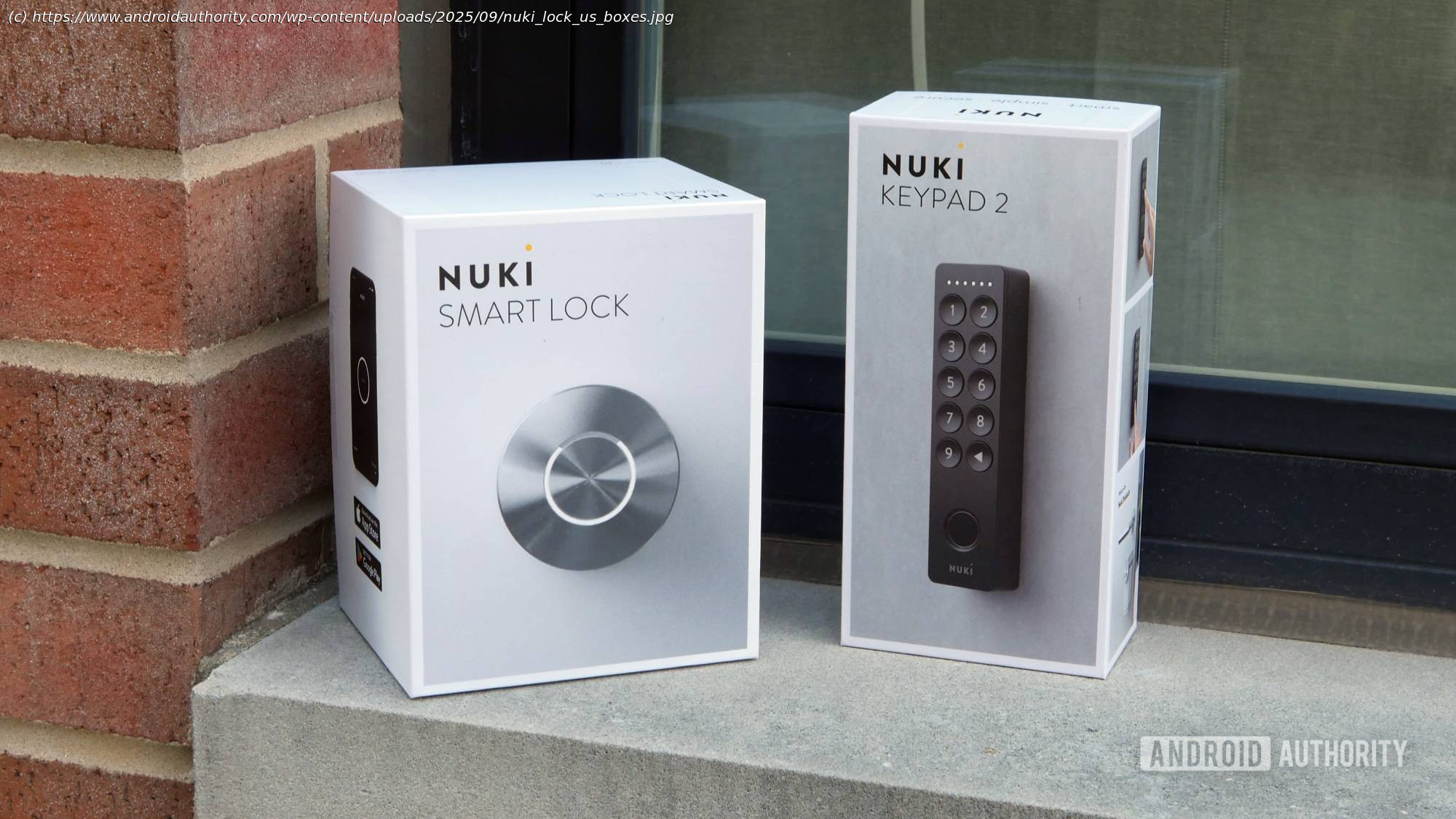
You could be just minutes away from giving your smart home one of its biggest improvements yet, with the user-friendly Nuki Smart Lock.
Nuki Smart LockNuki Smart Lock
Setting up a smart home can be a big investment — of both time and money. So it’s only understandable that many of us approach the challenge bit by bit, upgrading a few things at a time. Maybe you got started swapping out your old lights for some fun new voice-controlled bulbs with a full spectrum of RGB colors. Or maybe you set up that doorbell cam to let you know when deliveries arrive.
For my money, though, one of the most impactful, easiest, and affordable upgrades can be a smart lock — no more carrying around keys (and worrying about losing them), simple to grant access to guests, and a nice, logged record of your comings and goings. Nuki has already been a great option there for users in Europe with its Smart Lock Ultra, and now it’s bringing its Smart Lock to the US. I tested it out for a few months to see how it holds up.Nuki Smart Lock review: At a glance
The Nuki Smart Lock is a deadbolt replacement for the US market that adds app connectivity and Matter control to an existing door.
You can take home the Nuki Smart Lock alone for just about $200, or $270 with its fingerprint keypad.
Nuki both sells the Smart Lock directly on its website, or you can pick it up at Amazon.
I installed the Nuki Smart Lock on the door between my garage and home, and have been using it for the past four months. Nuki provided Android Authority the unit for review.
While you can find cheaper alternatives, the Nuki Smart Lock is a worthwhile, attractive upgrade to your smart home. What I like about the Nuki Smart Lock
Locks can be intimidating: I get that. A lock feels like your last line of protection, separating your home and the valuables within from all the chaos and uncertainty out there in the world. And depending on the lock you’re installing, setting it up can be a real nerve-wracking experience. I have to say, though, with the Nuki Smart Lock, the company has made installation nearly user-proof.
I have the experience of already installing other smart locks similar to Nuki’s before, but the basic idea behind this class of lock is all the same. Essentially, you’re just replacing half of an existing deadbolt — the thumb-turn latch on the inside of your door — with a smart, motorized version. The actual part that interacts with your key on the outside of the door and the bolt within remain unchanged, and continue to offer the same security they did before.
To get started, you install the Nuki app from the Play Store and pull up its installation wizard. After pairing the hardware and setting up a security code, it’s time to get started with mounting. While door hardware will differ, Nuki makes this as painless as possible, directing you to remove the existing thumb-turn, attach the new mounting plate for the Smart Lock, and choose the correct adapter that allows the Smart Lock to turn your existing lock hardware.
I will admit that I initially looked at those adapters with a little concern (the Smart Lock comes with three designs, covering most deadbolt hardware) , as they’re plastic pieces that have to experience quite a bit of torque — would they prove up to the task? It turns out that midway through my review period, Nuki updated the design of these adapters, making them more robust — notice how the break-away bits are now filled in:
The app makes it hard to make major mistakes here, and so long as you take your time and make sure all your screw holes are lined up, you can have the Nuki Smart Lock installed in five minutes, no problem — although absolutely don’t feel bad if it takes you a little longer. Once you’ve got all the mounting hardware tightened down, that shiny brushed metal knob finally clicks into place, completing the package.
You charge the Smart Lock through a magnetic USB cable and have quite a few options there: use a nearby outlet, disconnect the knob and move it closer to an outlet, or even charge through a battery pack. Once it’s juiced up, you can enjoy six months or more of operation, depending on the connectivity options you choose.
When my colleague Rita reviewed the Smart Lock Ultra last summer, she was blown away by the features available through the Nuki app. And now, having seen them all for myself, I can appreciate why. Beyond all the basic stuff like setting up user permissions, you can configure options like how the lock should respond to pressing its center button, or how long to wait before auto-locking.