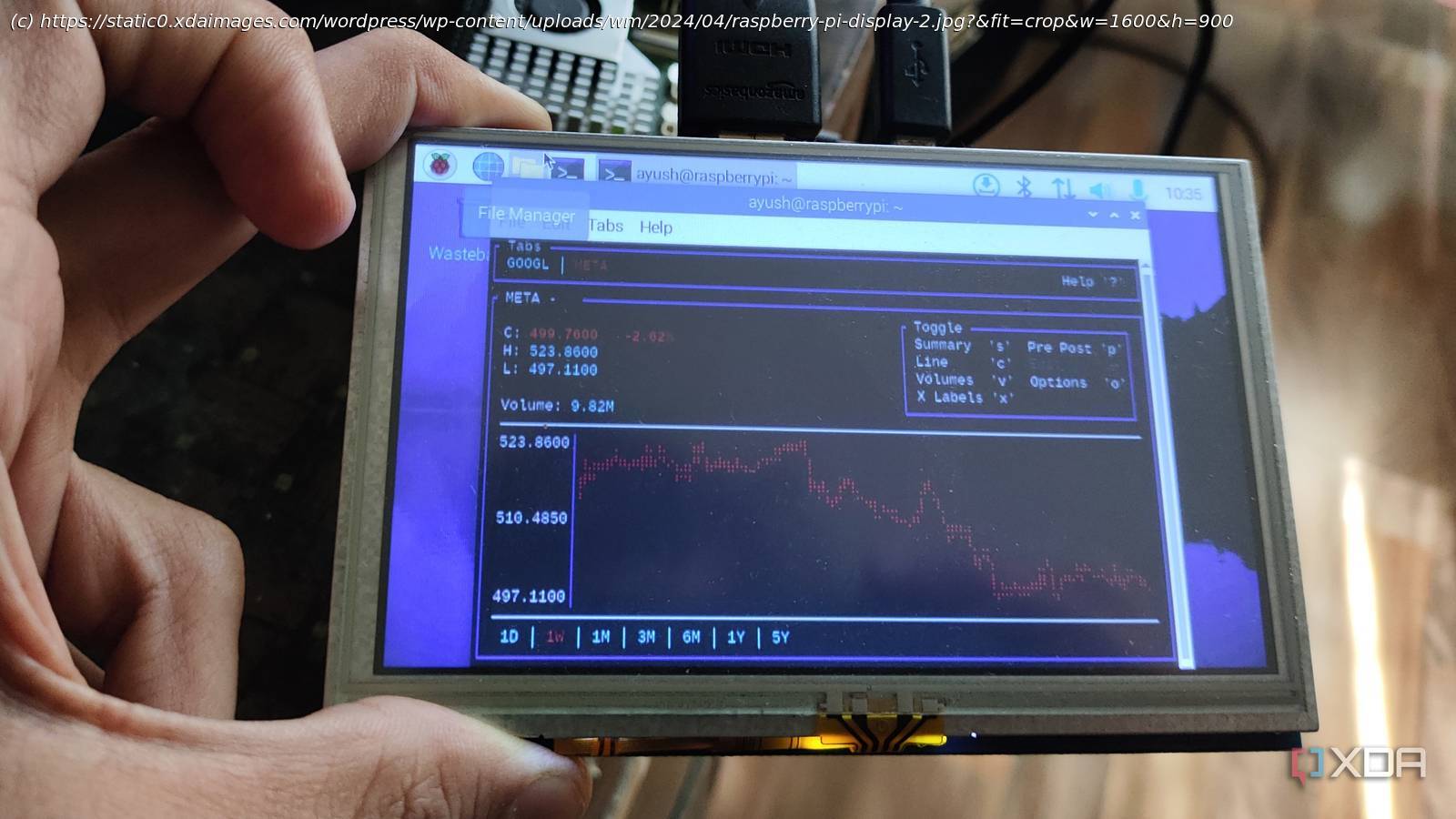
I get a lighter, more flexible travel setup than a laptop for writing, tinkering, and offline work.
Travel usually turns my “I’ll be productive” fantasies into a parade of compromises. A laptop is powerful, sure, but it also demands a lot from the bag, the table, and the outlet. When I started traveling with a Raspberry Pi and a portable monitor instead, the whole setup felt more intentional. It stopped being a smaller laptop dream and became a purpose-built little workstation.
This idea isn’t about proving a point or pretending a Raspberry Pi replaces my MacBook Pro. It’s about building a travel kit that fits how travel actually works, with weird Wi-Fi, tiny hotel desks, and time you didn’t plan for. A Raspberry Pi with a portable monitor is modular, low-stakes, and easier to tailor to the moment. And it still lets you do real work when you need to.
The travel argument starts simple
You want control without extra baggage
A Raspberry Pi travel kit works because it has a clear purpose: it optimizes for flexibility over brute force. I don’t need a whole laptop for every travel task, and hauling one around “just in case” is the part that grates on me. With a Raspberry Pi, the cost and risk feel lower, which makes me more willing to actually use it on the road. I’m more likely to pull it out, set it up, and tinker because it doesn’t feel precious.
The portable monitor is the secret sauce, not the Raspberry Pi. A monitor turns the Raspberry Pi from a novelty into something you can comfortably stare at for an hour without regretting your life choices. It also means the display can outlive the computer, which is the opposite of the laptop bargain. If you decide next year you want a different board, the monitor still earns its slot in the bag.
Most travel computing failures are friction problems, not performance problems. You get to the hotel, you’re tired, and you need the fastest path to “working enough.” A Raspberry Pi kit can be pre-configured to boot straight into what you need, with no updates waiting to ambush you. When the workflow is predictable, you use it more, and that’s the whole point.
It’s better for cramped surfaces
A modular setup adapts to tight spaces
Hotel desks are often a chair, a lamp, and a wobbly surface pretending to be furniture. A laptop needs that whole space to itself, plus room for your hands and the power brick. A Raspberry Pi and portable monitor can split up, stack, or tuck into corners, and that matters more than you’d think. You can even place the monitor closer and the Raspberry Pi farther away if cable routing is awkward.
There’s also the “what if I don’t want to sit here” problem. Sometimes the only decent spot is the edge of a bed, a small table, or a random chair near an outlet. A laptop setup is all-or-nothing, while a Raspberry Pi kit can be pieced together as needed. If you only want the display and a keyboard for a quick task, you can do that without committing to the whole workstation ritual.
Power is another quiet win. Many Raspberry Pi models sip power compared to a laptop that’s trying to be a workstation and a media device at the same time. That means less heat, less fan noise, and fewer moments where you’re desperately hunting outlets like they’re rare collectibles. For travel, predictable power behavior is comfort, not a spec.
Offline wins beat online promises
Local-first tools shine when Wi-Fi fails
Travel Wi-Fi is a roulette wheel with a customer service desk. When you build a Raspberry Pi kit around offline-first apps, the internet becomes optional instead of mandatory. You can keep documentation, writing projects, code repos, and even a personal knowledge base ready to go without begging the hotel portal for mercy. The result is that “dead time” becomes usable time.
This is also where a Raspberry Pi setup can feel more focused than a laptop. A laptop tends to bring your entire digital life with it, including all the distractions you pretend aren’t distractions. A Raspberry Pi can be configured to be boring on purpose, in a good way. If it boots into a writing environment, a terminal, and a small set of tools, that’s what you get, and it’s easier to stay on-task.
Entertainment is another underrated angle. A Raspberry Pi can hold a tidy, offline media stash for flights and evenings where you’re too fried to do anything ambitious. It can also be a travel lab for lightweight projects, such as testing containers, poking around new Linux tools, or running a temporary service on a local network. It’s not about doing everything; it’s about always having something useful.
What you actually need to pack
Build a kit that sets up fast
The best travel kit is the one you can assemble without thinking. If you have to remember six adapters and three “special” cables, you’ll leave them in the bag and use your phone instead. The goal is a small, repeatable loadout that works in most rooms and airports. Make it boring, label your cables, and you’ll thank yourself later.
Here’s the core kit I’d start with, keeping it practical rather than fancy. Each item earns its place by reducing setup time or preventing a common failure. You can always add extras after you’ve traveled with it a few times. The first version should be sturdy, not clever.
A Raspberry Pi with a reliable microSD card or USB boot drive
A portable monitor that supports USB-C or HDMI
A compact keyboard and mouse, ideally ones you enjoy using
A single power solution that covers both Raspberry Pi and monitor
Two short, high-quality cables (one for display, one for power)
A small pouch so the kit stays together in your bag
The laptop still wins sometimes
There are real limits you’ll notice
A Raspberry Pi travel companion isn’t a universal replacement, and pretending otherwise weakens the argument. If you need heavy photo editing, big spreadsheets, or serious video work, a laptop is still the right tool. Some web apps also behave better on a traditional laptop browser, especially when sites expect a beefy CPU and lots of RAM. And if you rely on a specific desktop app that’s not available on ARM Linux, you’ll feel the gap quickly.
Setup friction can also sneak back in if you’re not disciplined. The moment you add a hub, a capture device, a second display cable, and a “just in case” drive, you’ve rebuilt the laptop mess in pieces. A travel kit should stay lean, or it stops being a travel kit. The Raspberry Pi wins when it remains repeatable and straightforward.
The other reality is that travel is tiring. On some nights, you won’t want to troubleshoot a flaky cable or a weird monitor handshake. That’s not a moral failure, that’s just being human in a hotel room with bad lighting. Your kit should anticipate that, with fewer moving parts and fewer surprises.
Make it feel like an appliance
Preconfigure everything so it boots ready
The best thing you can do is treat the Raspberry Pi like an appliance, not a project. Preload your essentials, set your defaults, and make the first boot experience calm. That can mean auto-connecting to known networks, launching the apps you actually use, and keeping the desktop clean. When it behaves predictably, you trust it, and you’ll actually carry it.
I also like keeping a “travel profile” mindset when it comes to software. It’s a limited toolset, not a mirror of your full workstation. Store your core documents locally, keep your passwords secure yet still accessible, and make sure updates don’t eat up your limited travel time. If you must update, do it before you leave, not in the hotel lobby.
Finally, keep the kit physically friendly. Short cables reduce desk chaos, and a pouch prevents the classic “where did that adapter go” scavenger hunt. If your portable monitor has a kickstand that doesn’t wobble, that’s worth more than a spec bump on paper. Comfort and speed win on the road, and this setup can deliver both.
Why I keep packing it
A Raspberry Pi with a portable monitor doesn’t replace a laptop in the absolute sense, and that’s fine. It replaces the part of travel computing that feels wasteful, heavy, and overly complicated. When the kit is dialed in, it’s quick to deploy, easy to adapt, and calm to use. That combination makes it feel less like “bringing work” and more like “bringing capability.”






